library
Production-ready Unreal Engine 5 plugins, each self-contained and built to industry standard
smart asset auto organiser
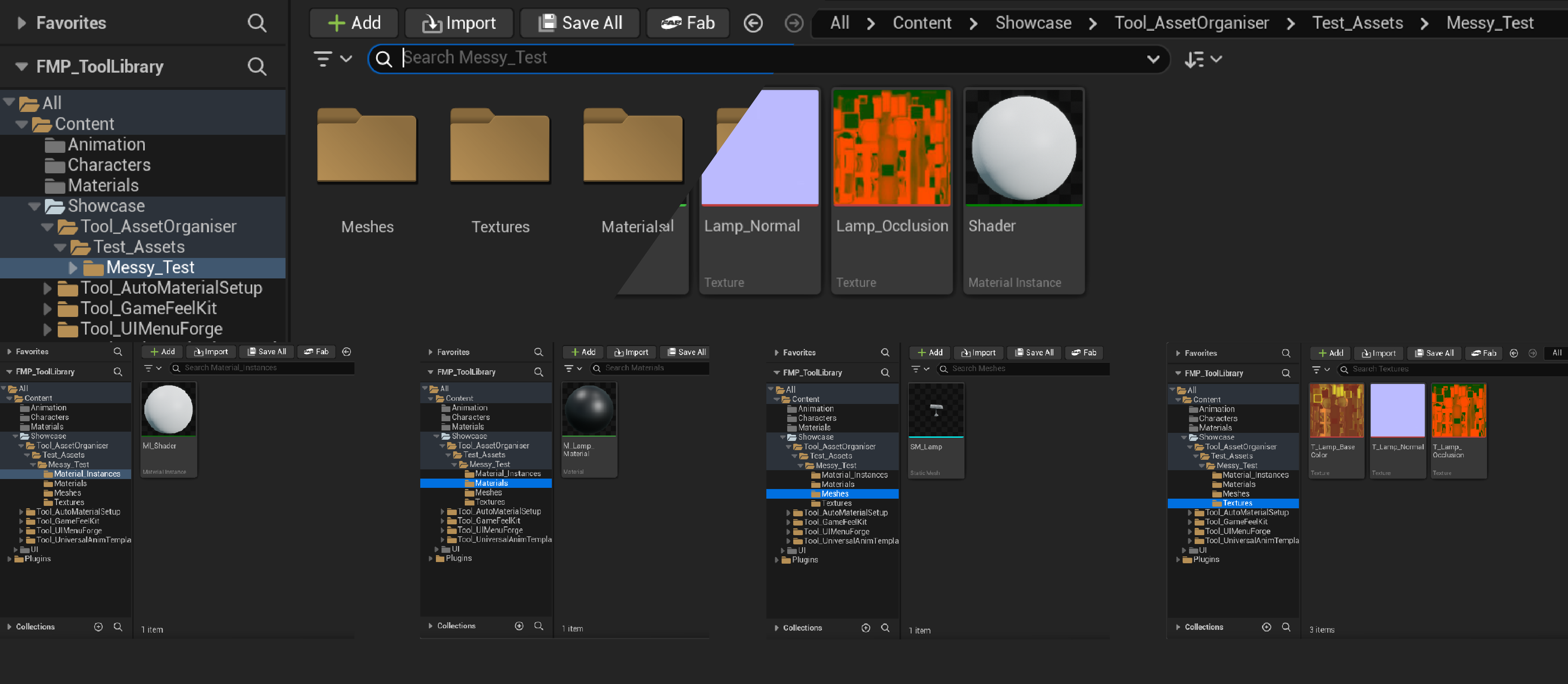
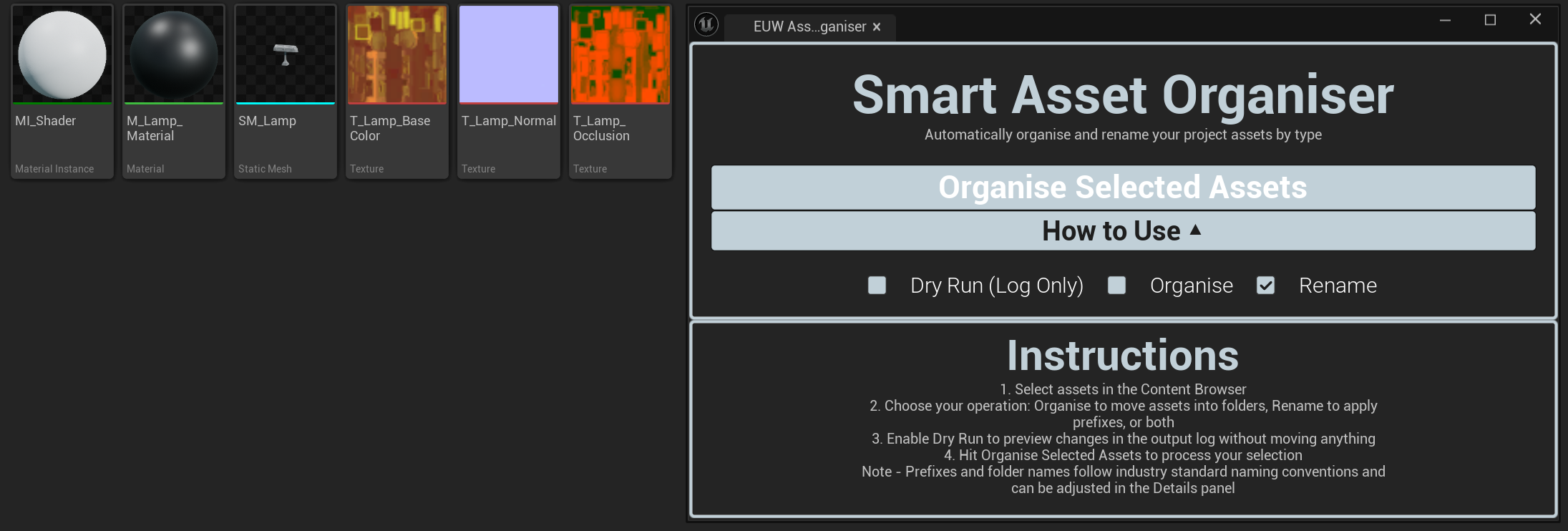
Automatically organise and rename project assets into industry standard folder structures and prefixes.
Organisation
Complete
UE5.7+
game feel kit
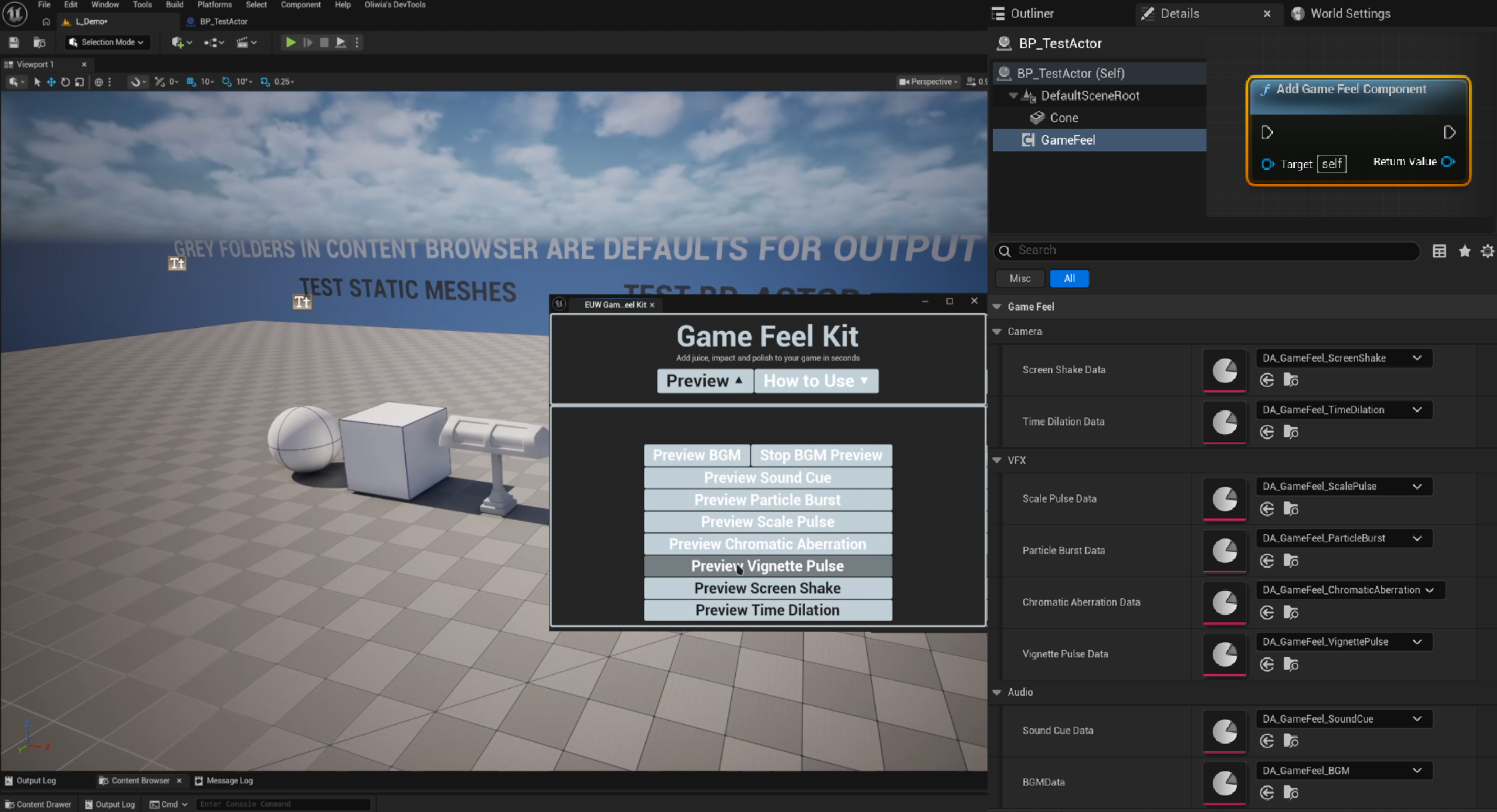
A component-based toolkit for adding juice, impact and polish to any actor with one-click effect triggers.
Game Feel
Complete
UE5.7+
ui menu forge
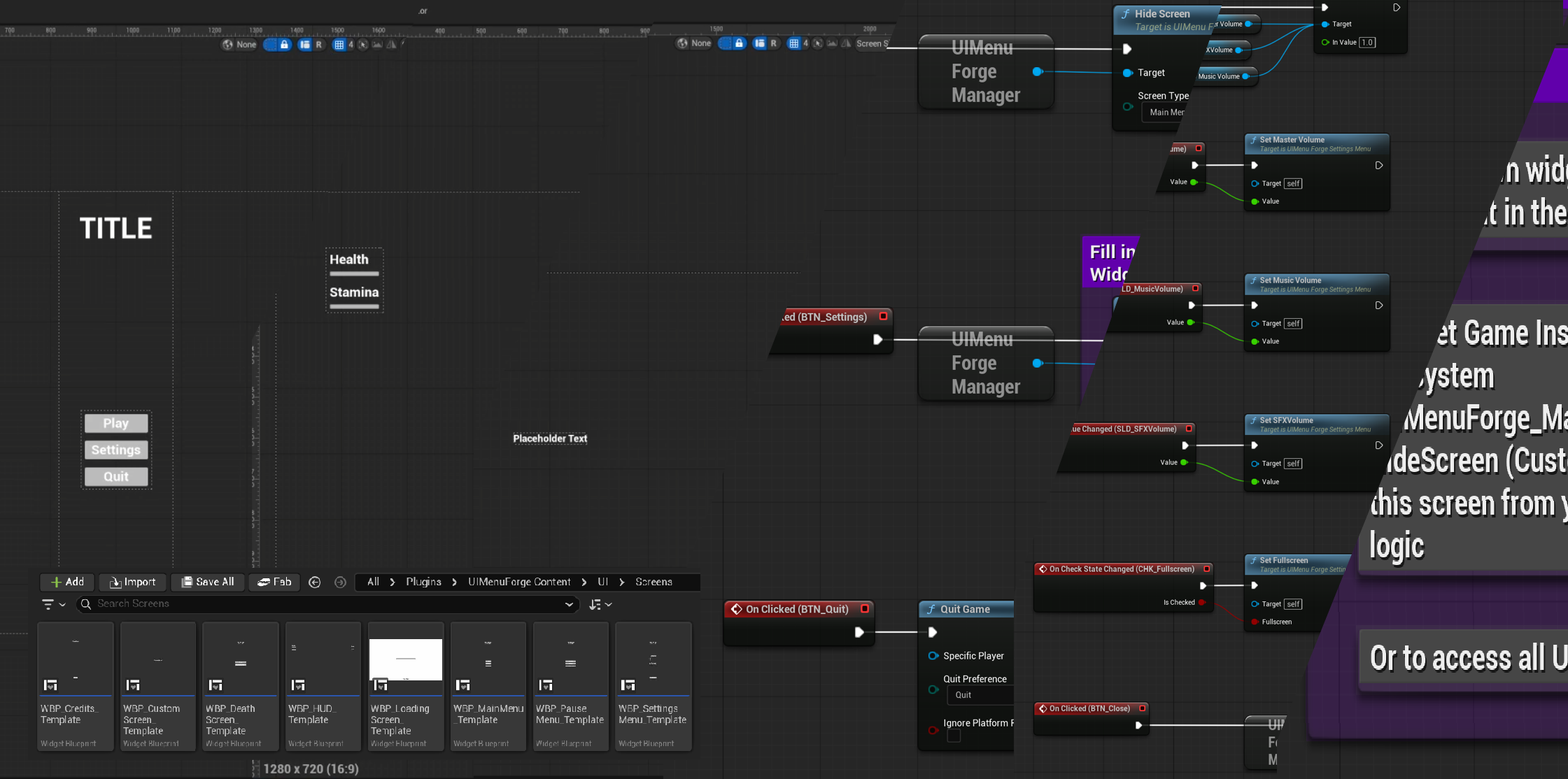
Generate pre-wired, production-ready UI screen templates with a central manager; ready to style and ship.
Game Feel
Complete
UE5.7+
mesh utility kit
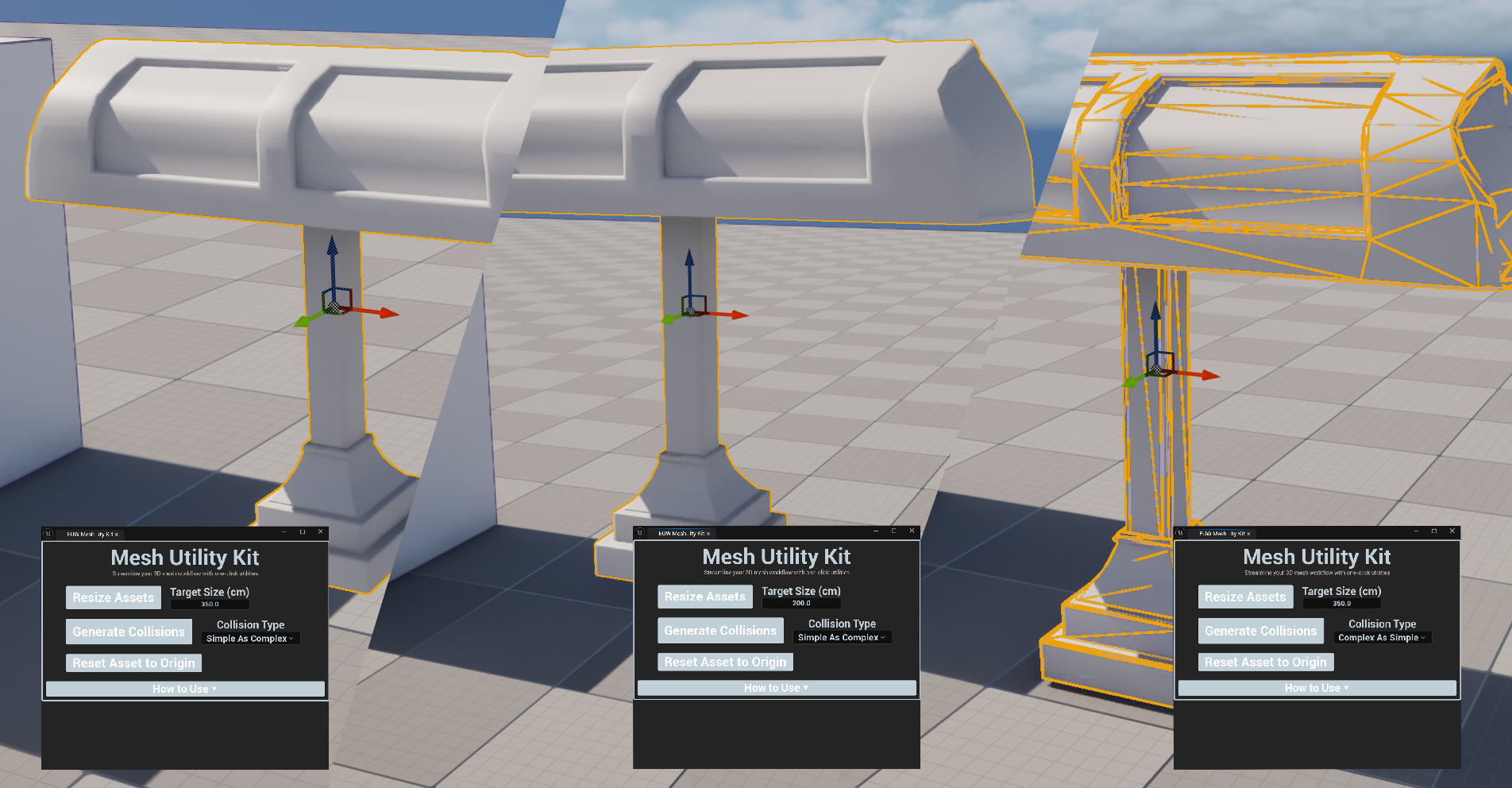
One-click mesh utilities for resizing, origin resettings and collision generation on Static Mesh actors.
3D Art
Complete
UE5.7+
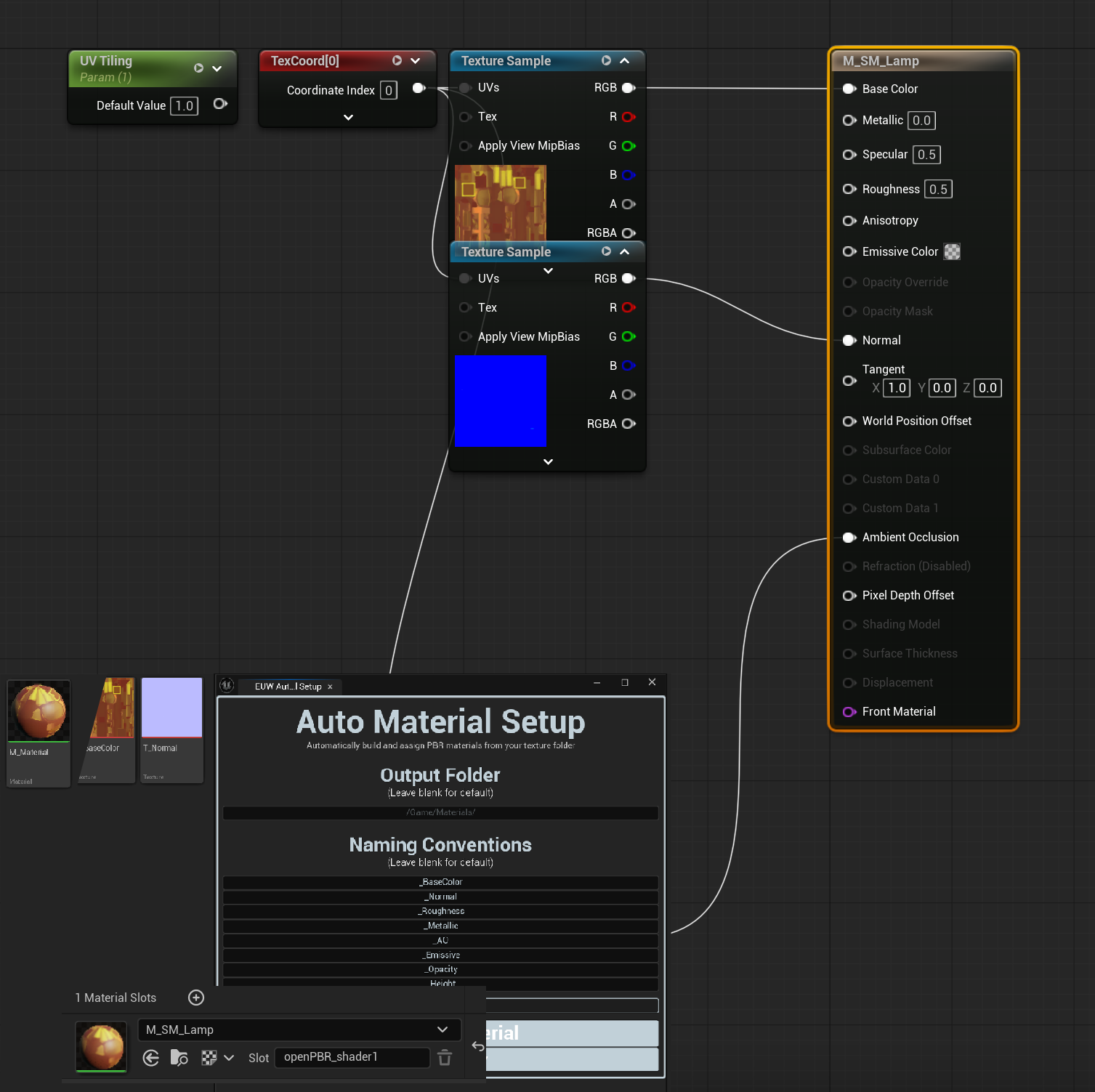
auto material setup
Automatically detect, wire and assign a full PBR material from a texture folder in a single click.
3D Art
Complete
UE5.7+
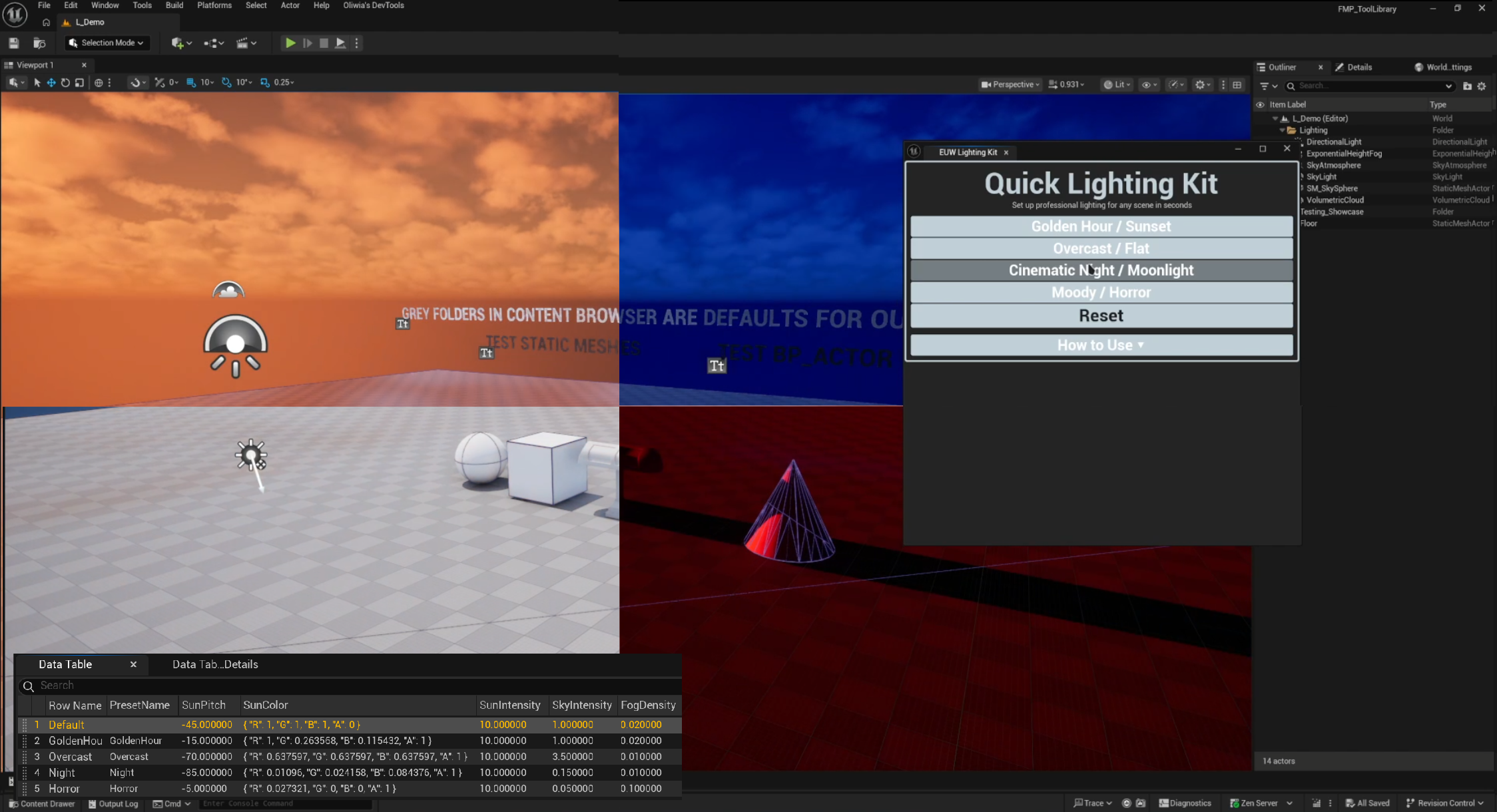
quick lighting kit
Apply professional scene lighting presets instantly with full control over sun, sky and fog values.
Environment
Complete
UE5.7+
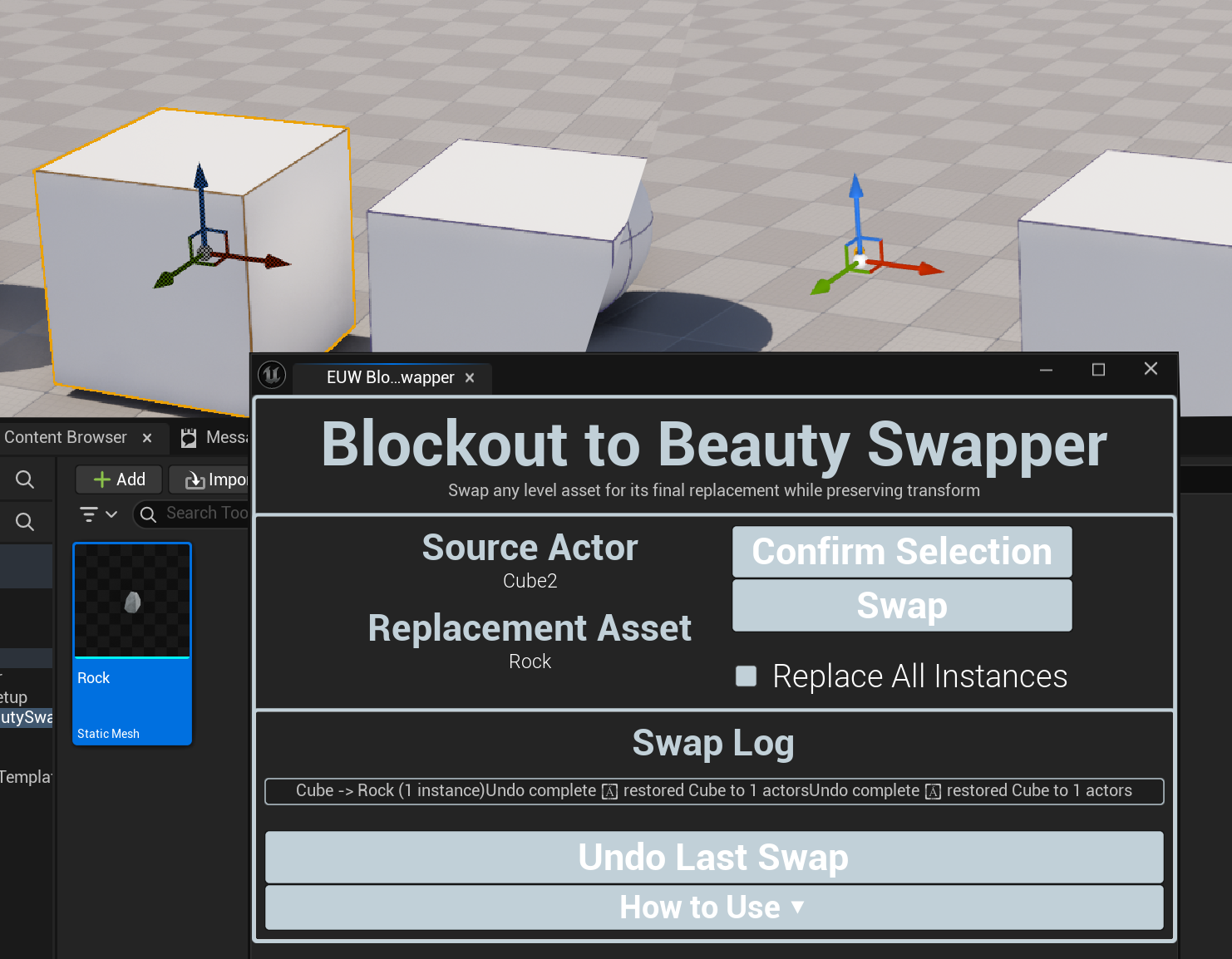
blockout to beauty swapper
Swap any level asset for a replacement mesh while preserving trasnform. One click, all instances or selected only.
Environment
Complete
UE5.7+
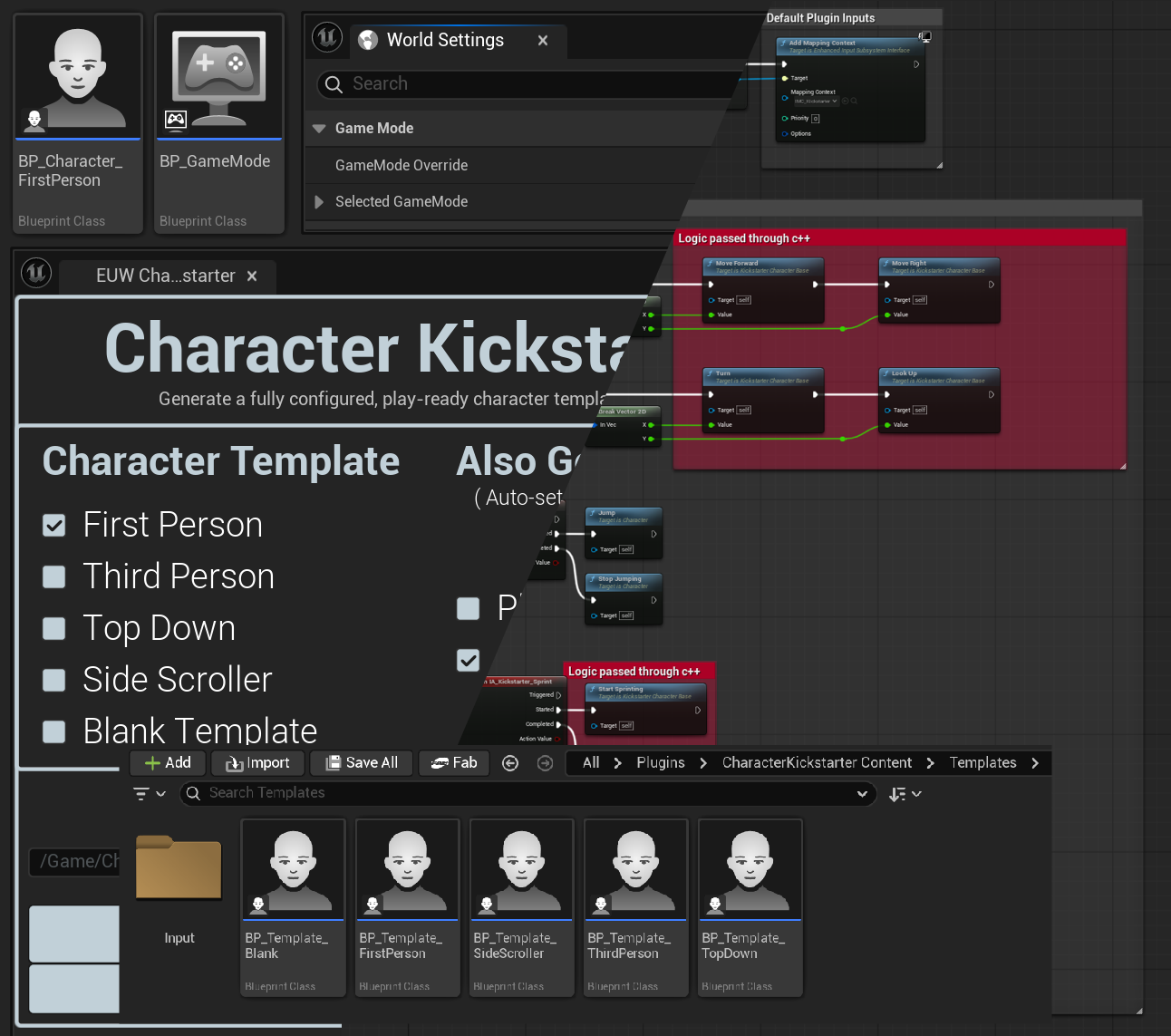
character kickstarter
Generate a fully configured, play-ready character Blueprint with movement, camera and input pre-wired.
Character & Animation
Complete
UE5.7+
Universal animation template
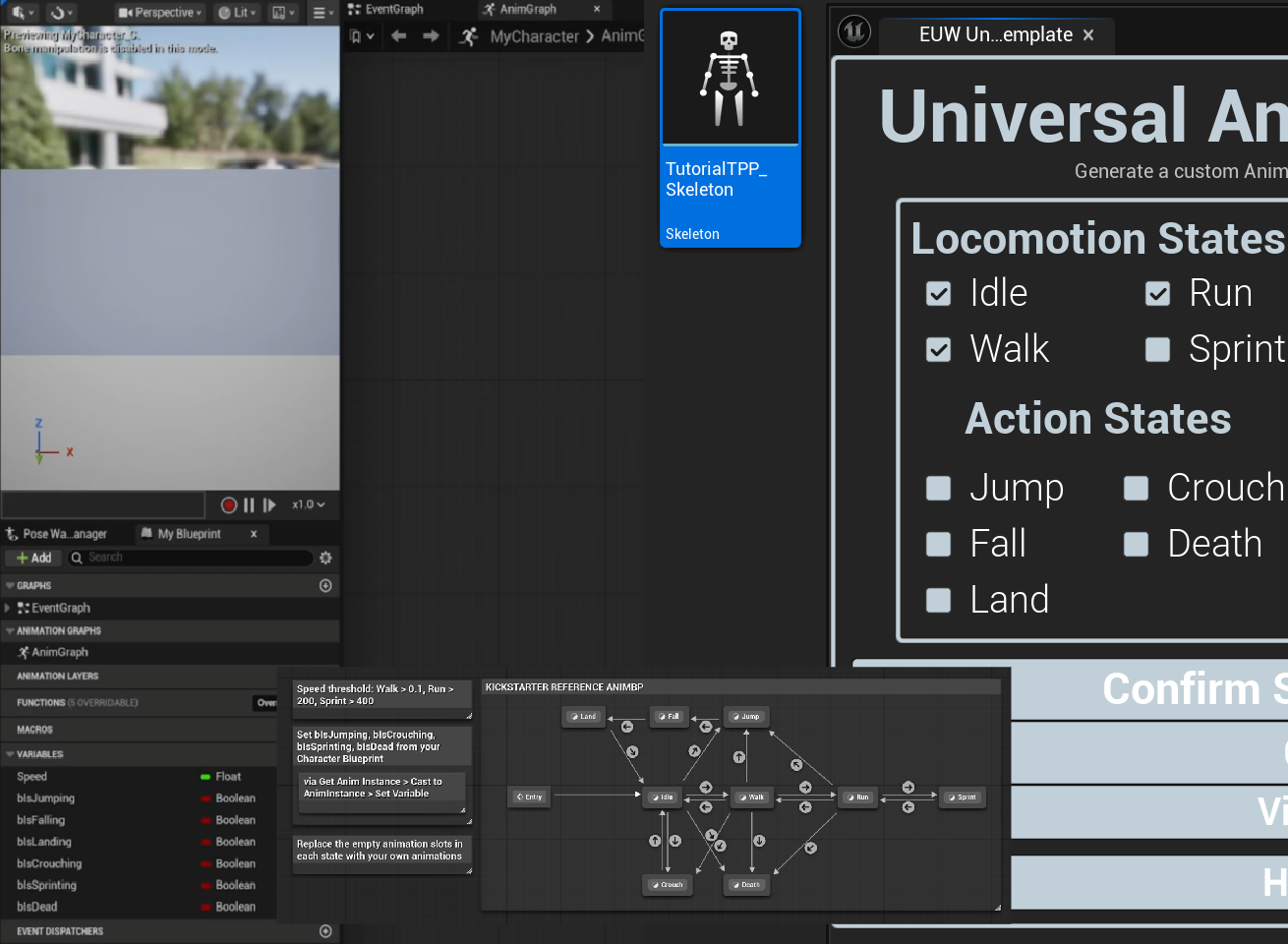
Generate a custom Animation Blueprint with the exact states you need, skeleton assigned and variables ready.
Character & Animation
Complete
UE5.7+
In-engine doc generator
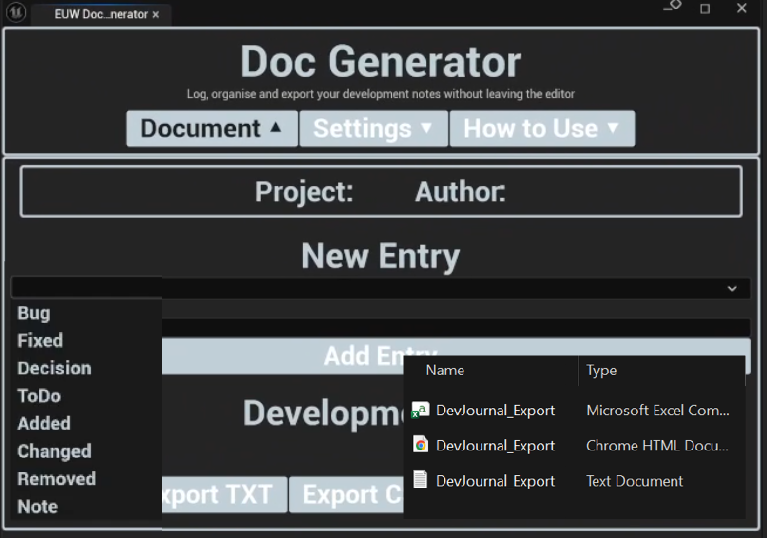
A dockable in-editor development journal - log structured notes by category, timestamped and exportable.
Documentation
Complete
UE5.7+
Close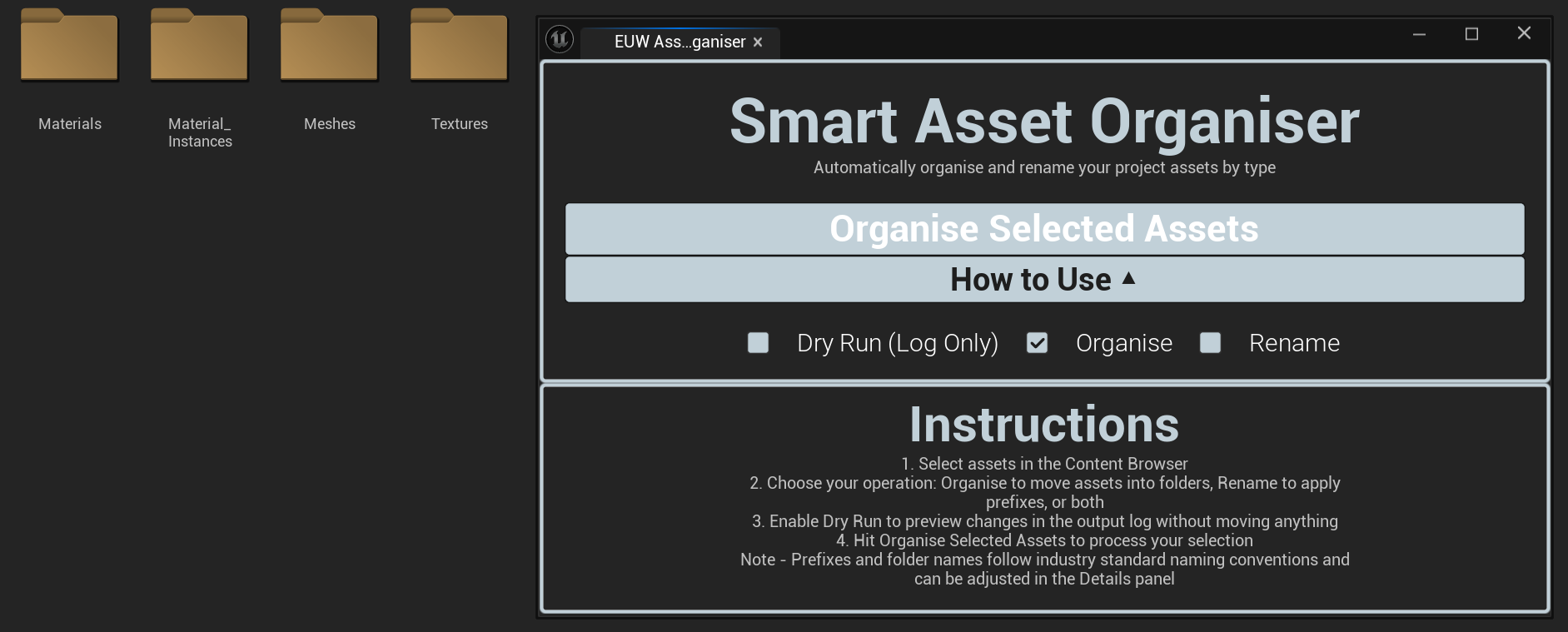

 VIEW ON GITHUB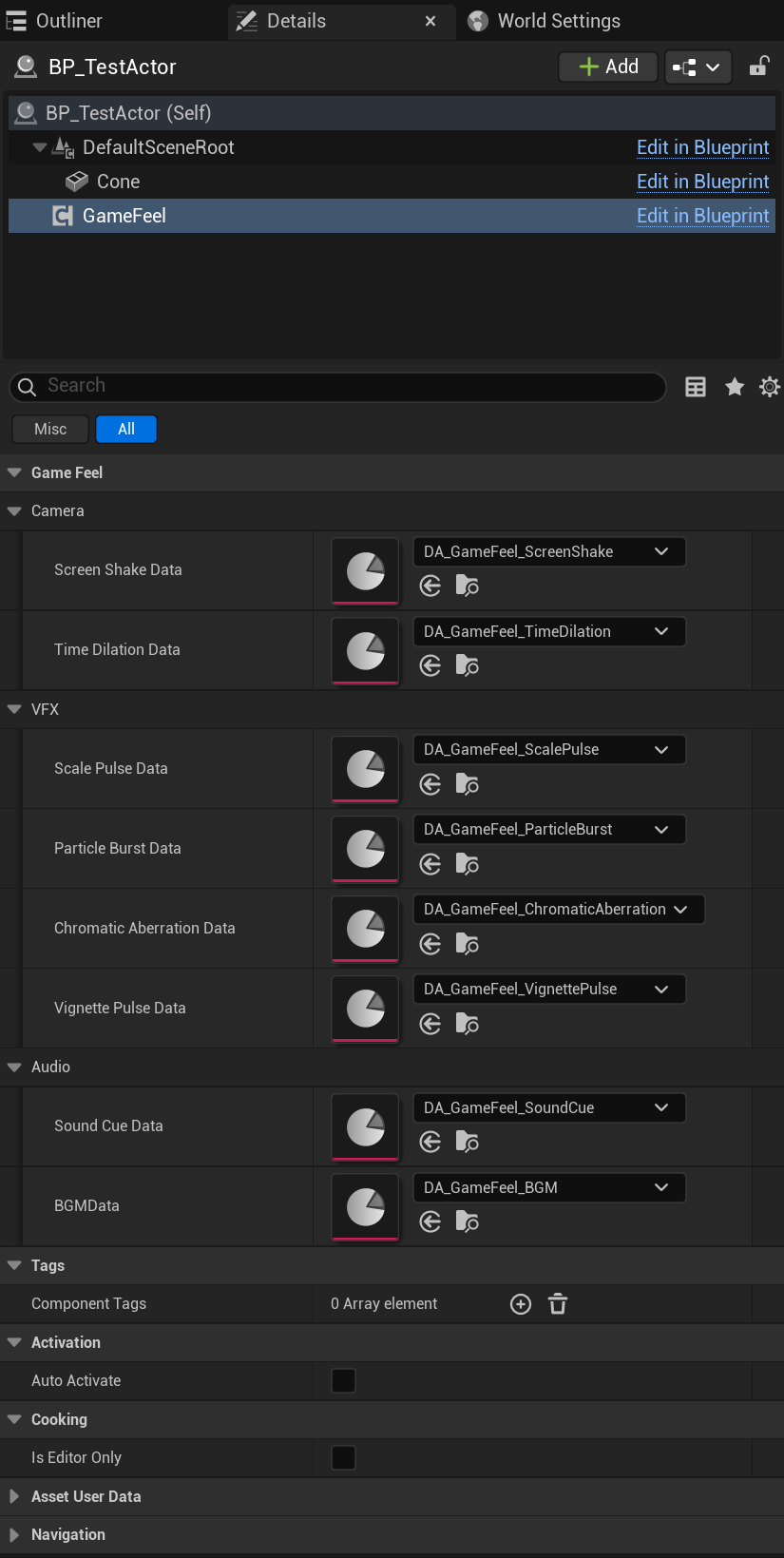
 VIEW ON GITHUB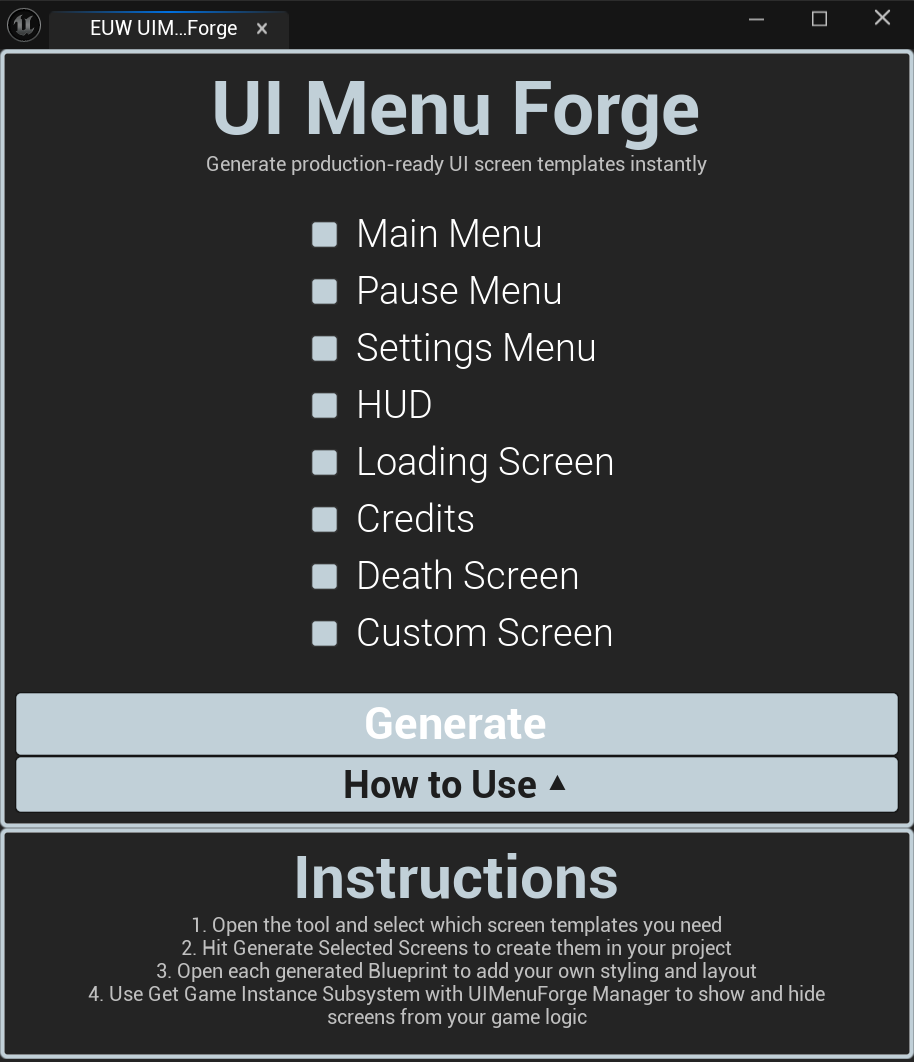
 VIEW ON GITHUB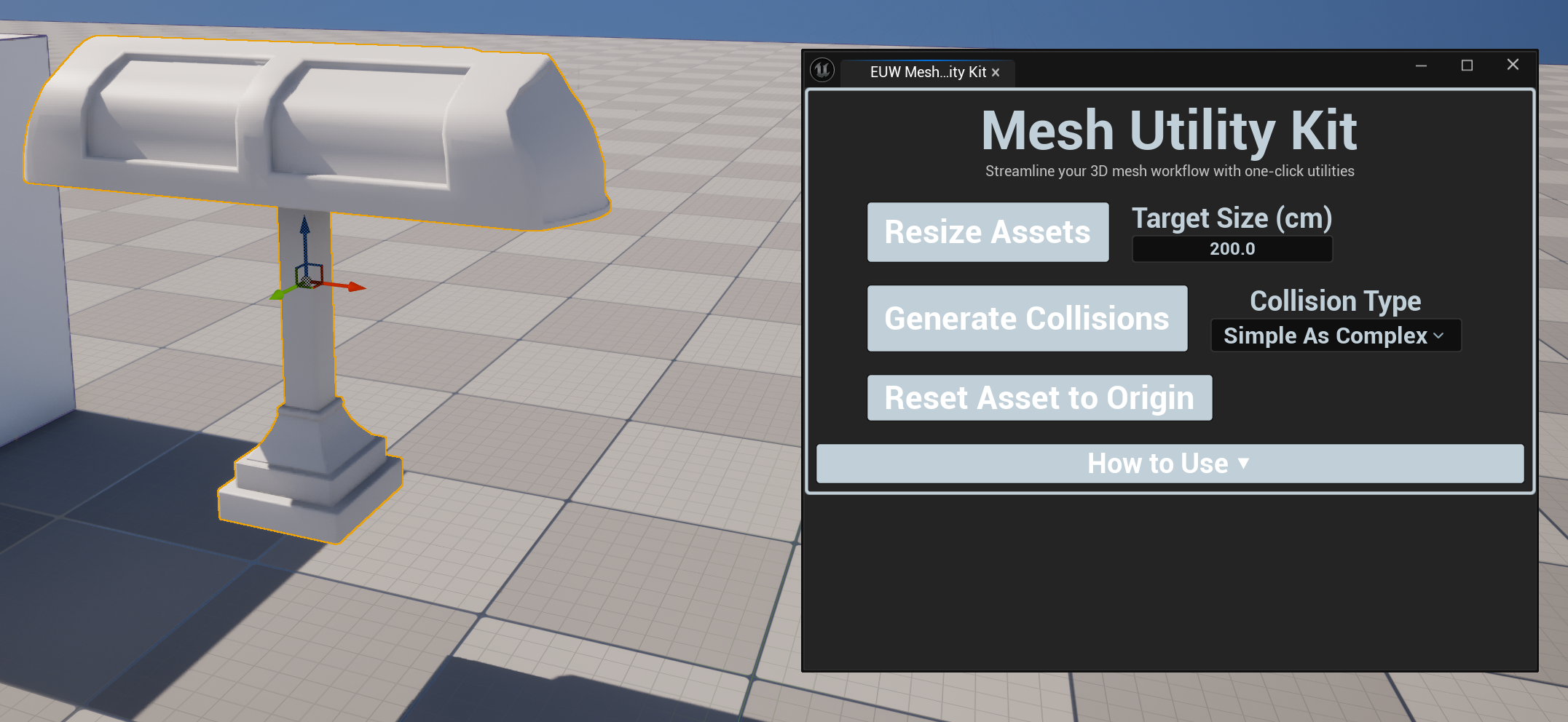
 VIEW ON GITHUB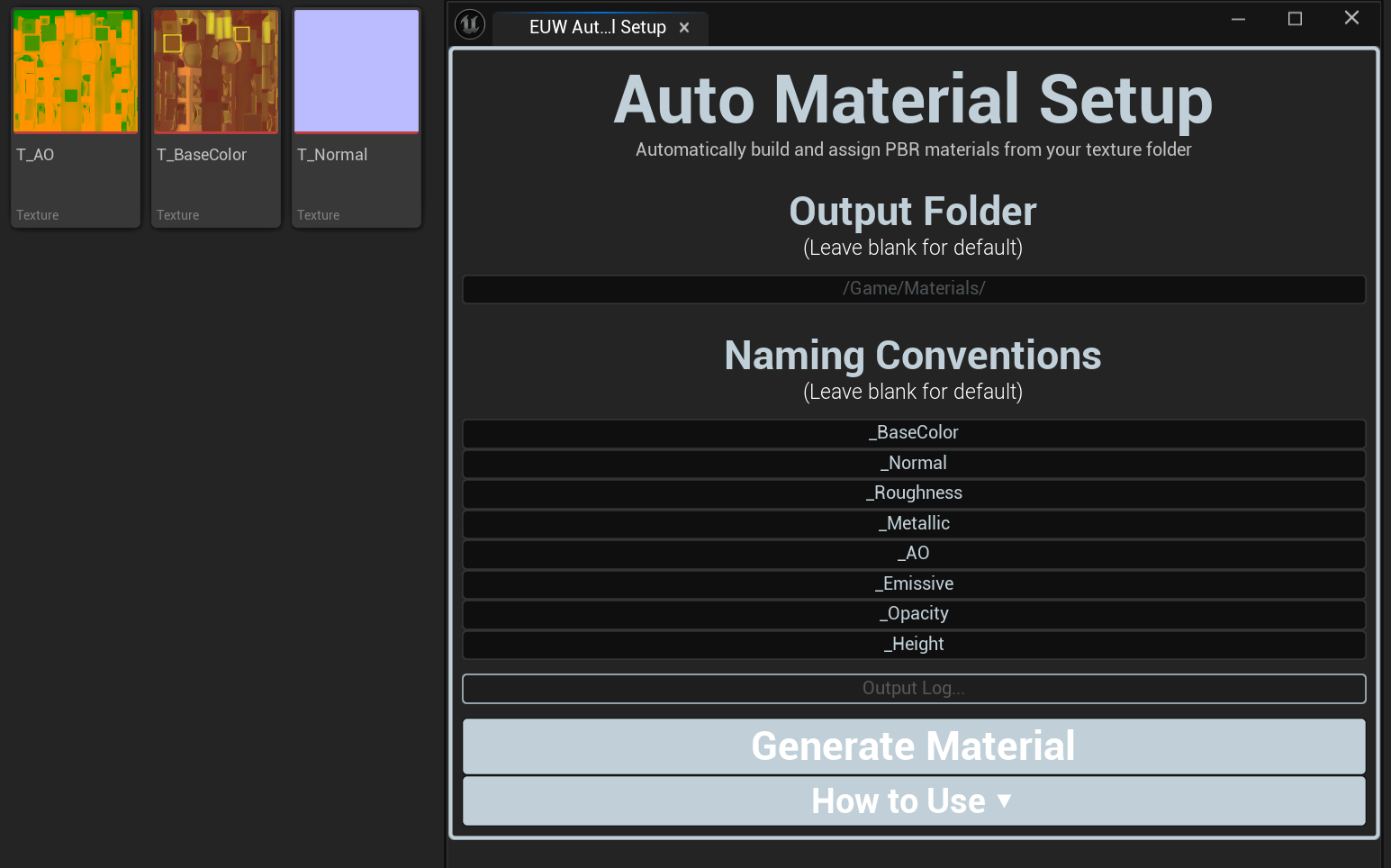
 VIEW ON GITHUB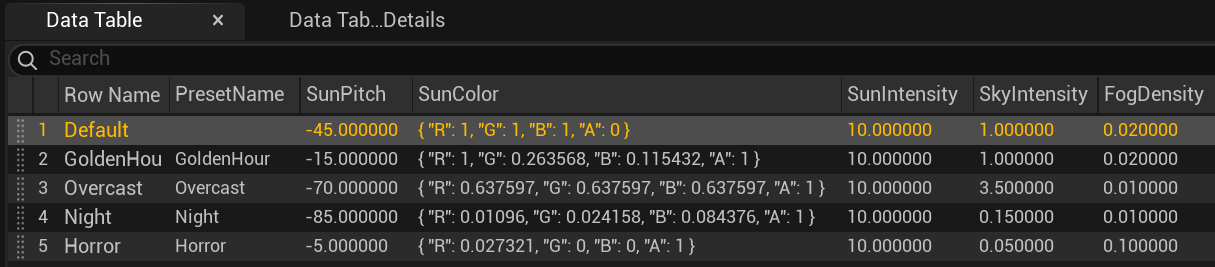
 VIEW ON GITHUB
Blockout to beauty swapper
 VIEW ON GITHUB
Character kickstarter
 VIEW ON GITHUB
Universal animation template
 VIEW ON GITHUB
In-engine doc generator


 VIEW ON GITHUB
full information
Click on a tool to view their information
smart asset auto organiser
Organisation
Complete
UE5.7+
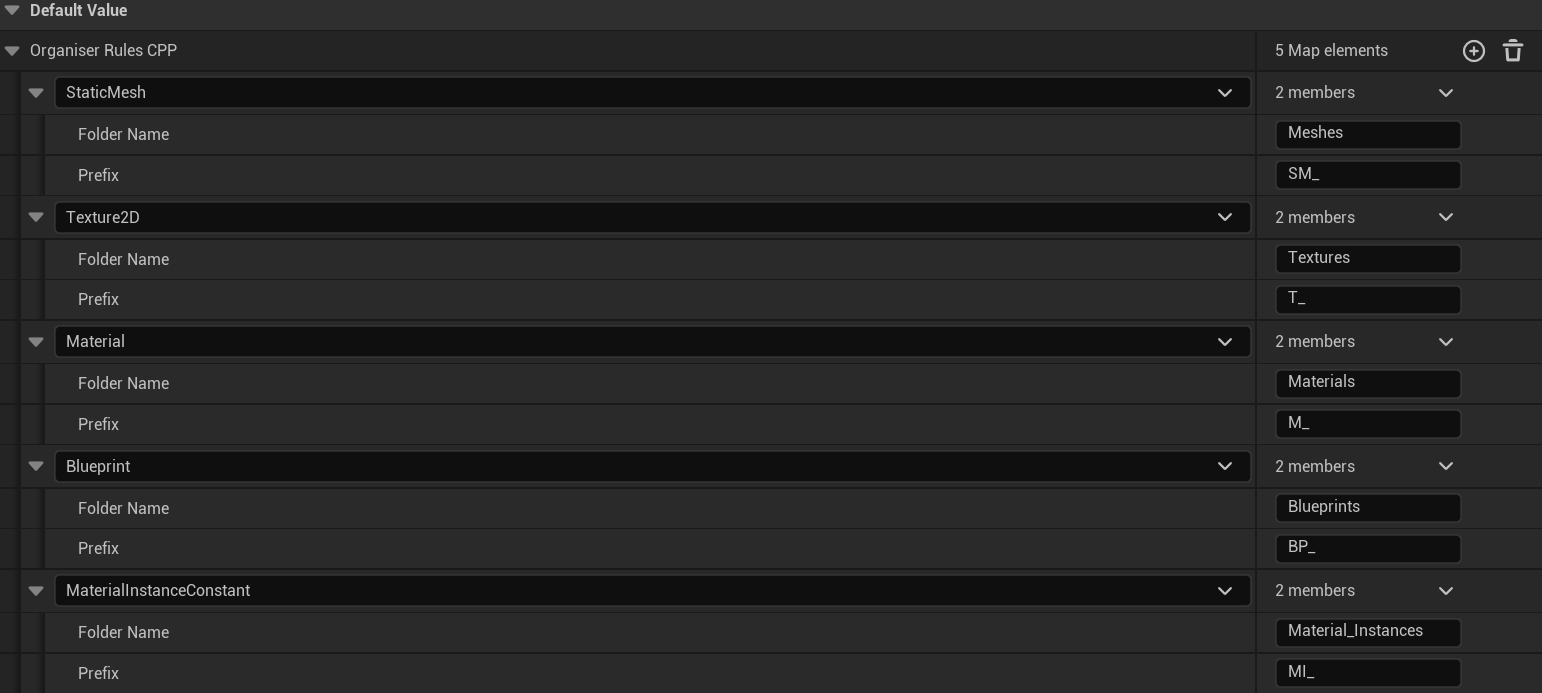
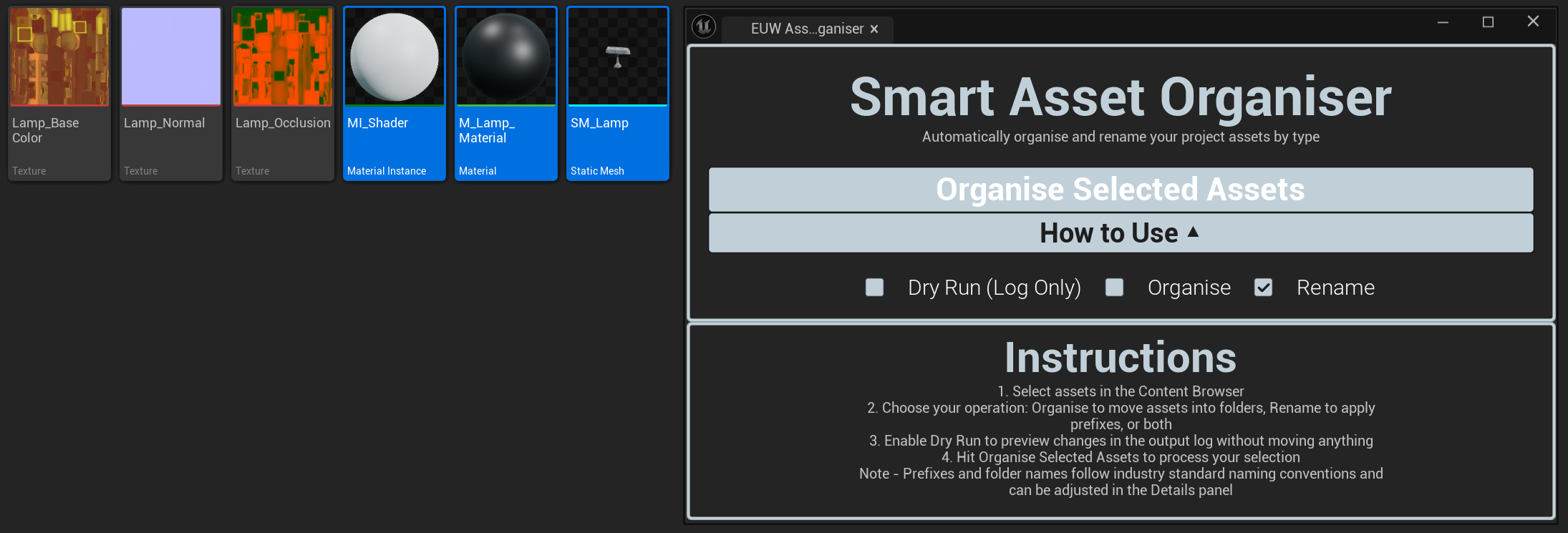
Smart Asset Organiser takes the repetitive, error-prone tasks of asset management and automates it entirely. Select any combination of assets in the Content Browser, and the tool will sort them into a clean, structured folder hierarchy while applying the correct industry-standard prefixes based on each asset's type. A built-in Dry Run mode lets you preview every change before naything is moved, giving you full confidence before committing. Whether you're cleaning up an existing project or establishing structure from day one, Smart Asset Organiser keeps your project navigable and professionally organised with minimal effort.
KEY features
automatic asset sorting
Detects asset types and moves them into the correct categorised folder structure automatically, no manual dragging required.
Industry-standard prefix assignment
Applies the correct prefix to each asset based on type, following widely recognised UE5 naming conventions used across professional studios.
Customisable prefix and folder rules
Adjust the naming conventions and folder targets to match your team's or project's specific standards.
Dry run mode
Preview every rename and move operation before a single file is touched, keeping the process fully non-destructive and reversible.
Content browser integration
Works directly on whatever you have selected, fitting naturally into your existing workflow without disrupting how you work.
How it works
Smart Asset Organiser reads the asset type of each selected item using Unreal's asset registry, then cross-references it against a configurable mapping of asset types to folder destinations and prefix rules. When Dry Run is enabled, the tool outputs a full preview of the intended changes without executing them. When applied, assets are moved and renamed using Unreal's asset tools, ensuring all references within the project are automatically redirected; resulting in no broken links and requiring no manual fixing.
Showcase
game feel kit
Game Feel
Complete
UE5.7+
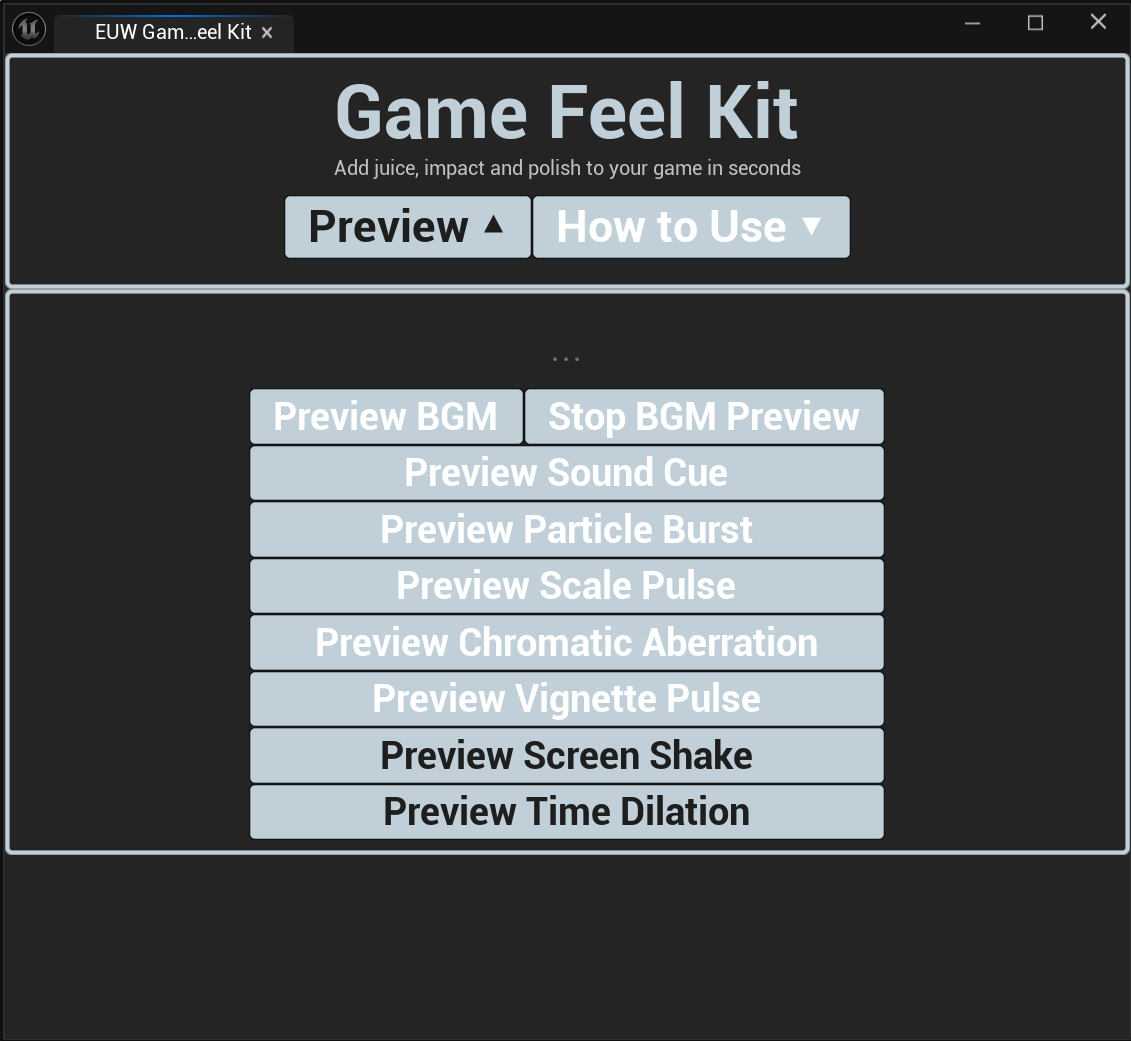
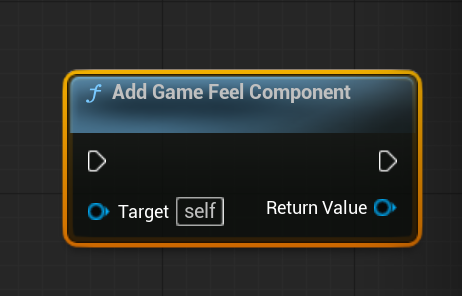
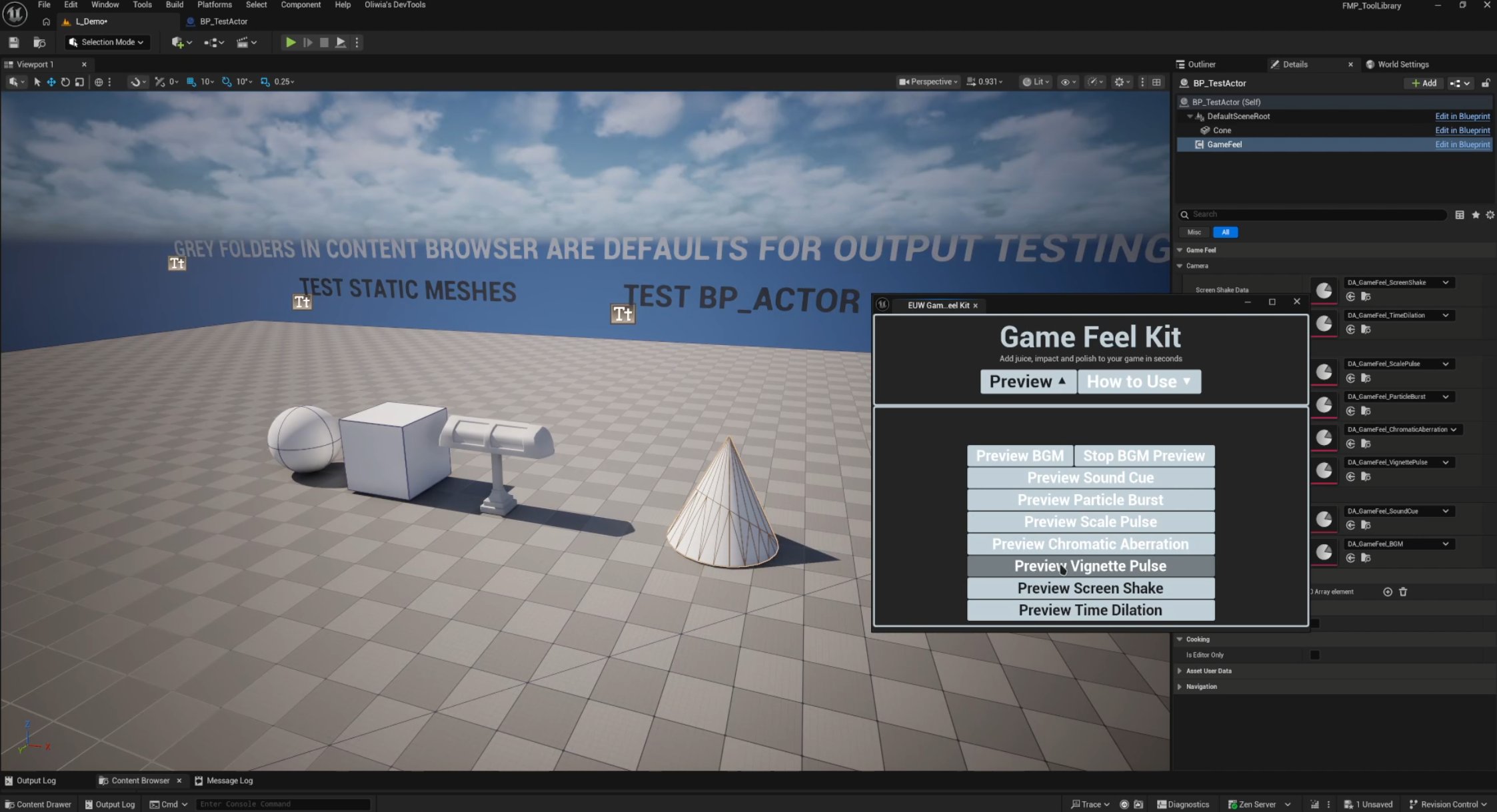
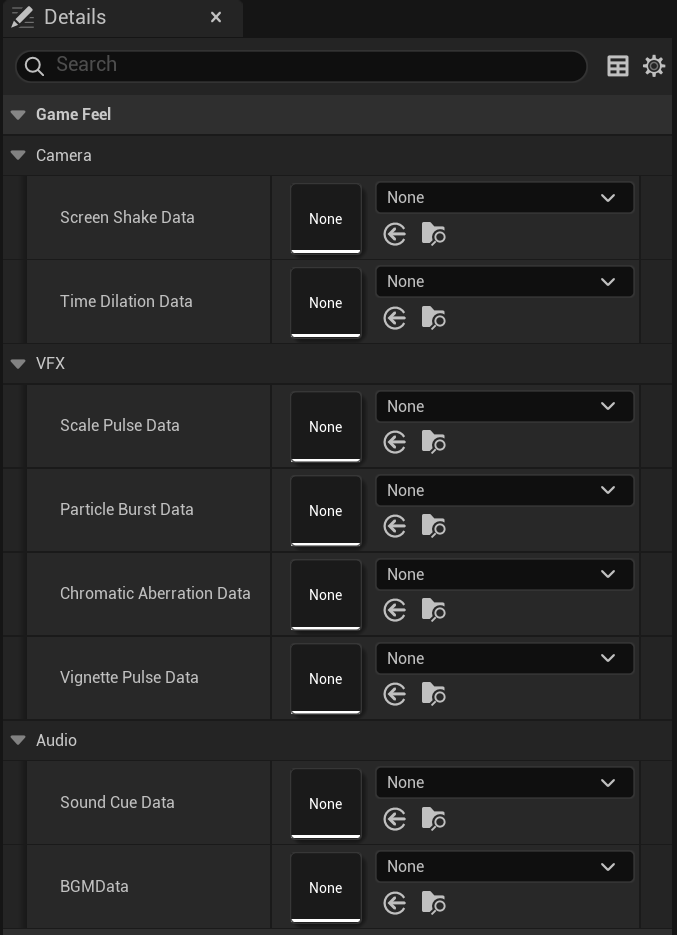
Game Feel Kit is a modular, component-based plugin that makes it easy to add the kind of polished feedback effects that seperate a finished game from a prototype. Attach the Game Feel Component to any Actor, configure your effects through Data Asserts, and trigger them directly from your own Blueprint logic or game events. Effects include screenshake, hit stop, time dilation, chormatic aberration, particle triggers, sound triggers, and more (each independently configurable and combinable). An in-editor preview panel lets you test every effect in isolation without entering Play mode, so you can dial in the feel of each moment without repeatedly running the game*
KEY features
Component-based architecture
Attach to any Actor in your scene with zero project restructuring, works alongside your existing setup.
Data Asset driven configuration
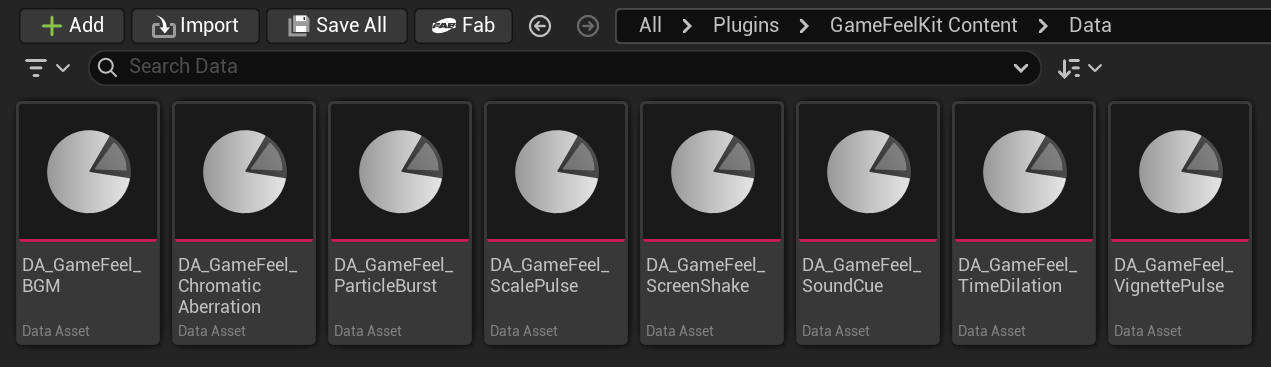
Each effect slot is driven by a Data Asset, keeping your parameters clean, reusable, and easy to iterate on.
wide range of effect types
Screen shake, hit stop, time dilation, chromatic aberration, particle and sound triggers all included out of the box.
Blueprint and c++ triggerable
Call any effect trigger from Blueprint input events, gameplay logic, or C++ with a single function call.
in-editor euw preview
Test individual effects directly from the editor panel without entering Play mode, making iteration fast and non-disruptive.
fully modular
Use only the effects your project needs, nothing is forced on you.
How it works
Game Feel Kit uses a lightweight Actor Component that sits on any Actor and exposes a set of trigger functions. Each trigger maps to an effect type, and the parameters for that effect are read from an assigned Data Asset at runtime. This keeps the component itself lean while allowing per-actor customisation through swappable Data Assets. The preview system hooks into the editor loop to fire effect previews directly in the viewport, giving accurate visual feedback without needing to simulate gameplay.
Showcase
UI Menu forge
Game Feel
Complete
UE5.7+
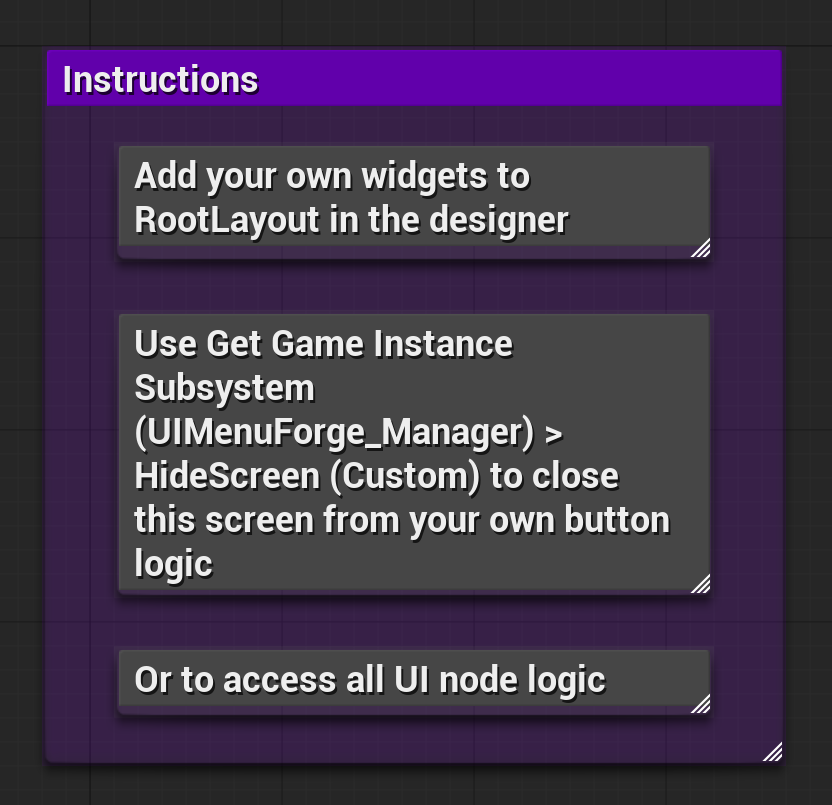
UI Menu Forge removes the repetitive infrastructure work of setting up a game's UI from scratch. Select the screen types your project needs: Main Menu, Pause Menu. Settings, HUD, Loading Screen, Credits, Death Screen or a blank Custom screen, hit generate, and receive fully structured UMG Widget Blueprints that are already wired to a centrail UI Manager. The manager handles all screen switching logic, so you can immediately start calling Show and Hide from your game logic without writing any boilerplate. Every generated screen is yours to style and extend. UI Menu Forge handles the structure so you can focus on the design.
KEY features
selective screen generation
Choose only the screens your project needs from a full list of common screen types, nothing unnecessary gets created
central ui manager subsystem
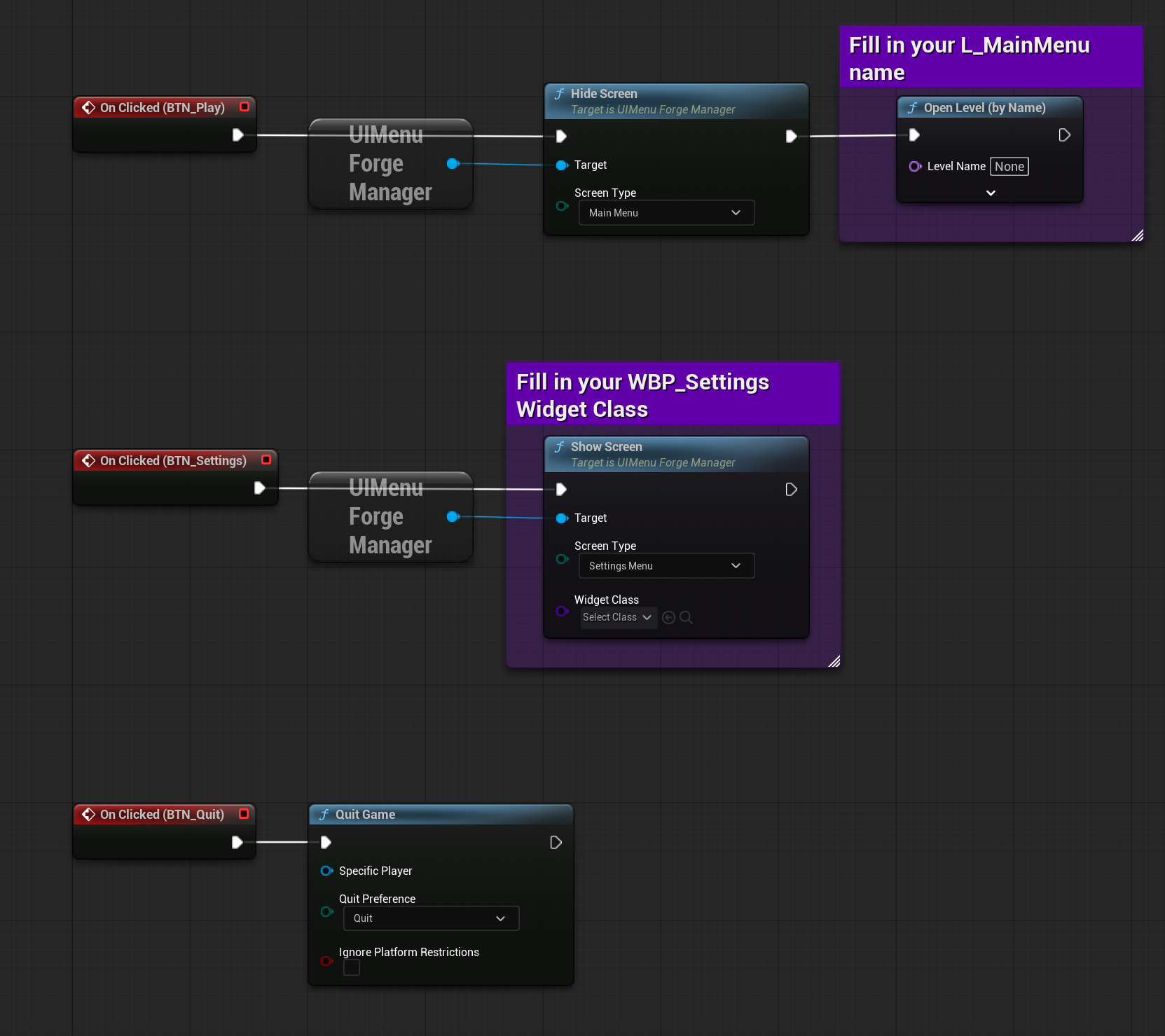
A GameInstanceSubsystem manages all screen visibility and transitions, accessible from anywhere in your project with no manual setup required.
pre-wired navigation
Generated screens are already connected to the manager, so basic show/hide logic works immediately out of the box.
abstract base class architecture
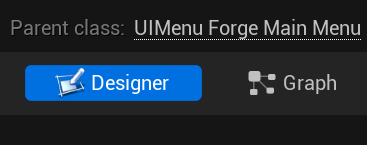
All screens inherit from a shared base Widget class, making it easy to add shared behaviour or styling across all screens at once.
custom screen support
Generate a blank custom screen that inherits the same base structure, ready for whatever unique UI your project requires.
No project settings configuration
The GameInstanceSubsystem approach means everything registers automatically when the plugin is enabled.
How it works
UI Menu Forge uses Unreal's Duplicate Asset functionality to create new Widget Blueprint instances from internal template assets at generation time. Each generated screen inherits from an Abstract UUserWidget base class defined in C++, which exposes the standard show/hide interface used by the UI Manager. The manager itself is a GameInstanceSubsystem, meaning it persists across level loads and is accessible from any Bleprint or C++ context without needing to be manually instantiated or referenced through the Game Instance.
Showcase
mesh utility kit
3D Art
Complete
UE5.7+
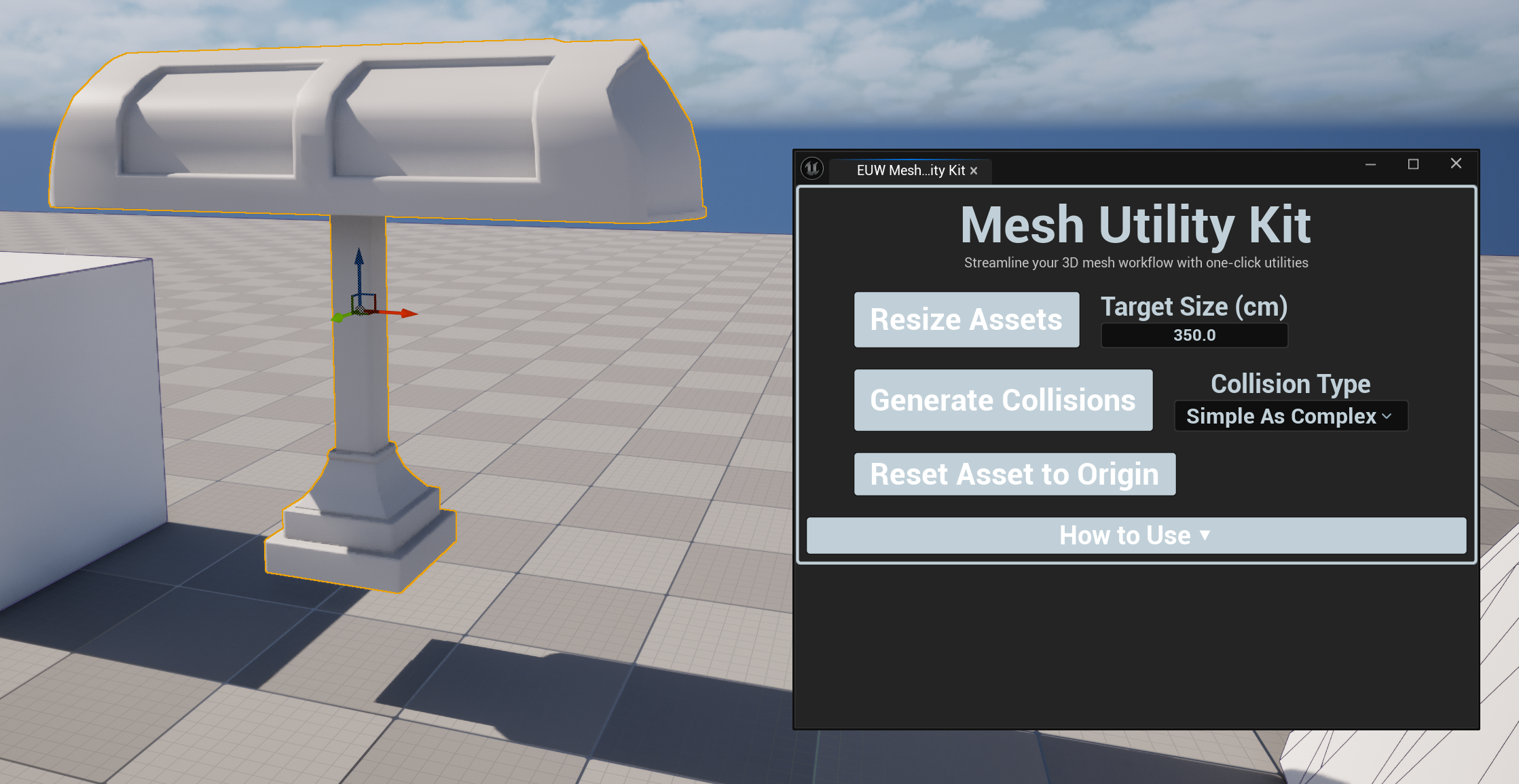
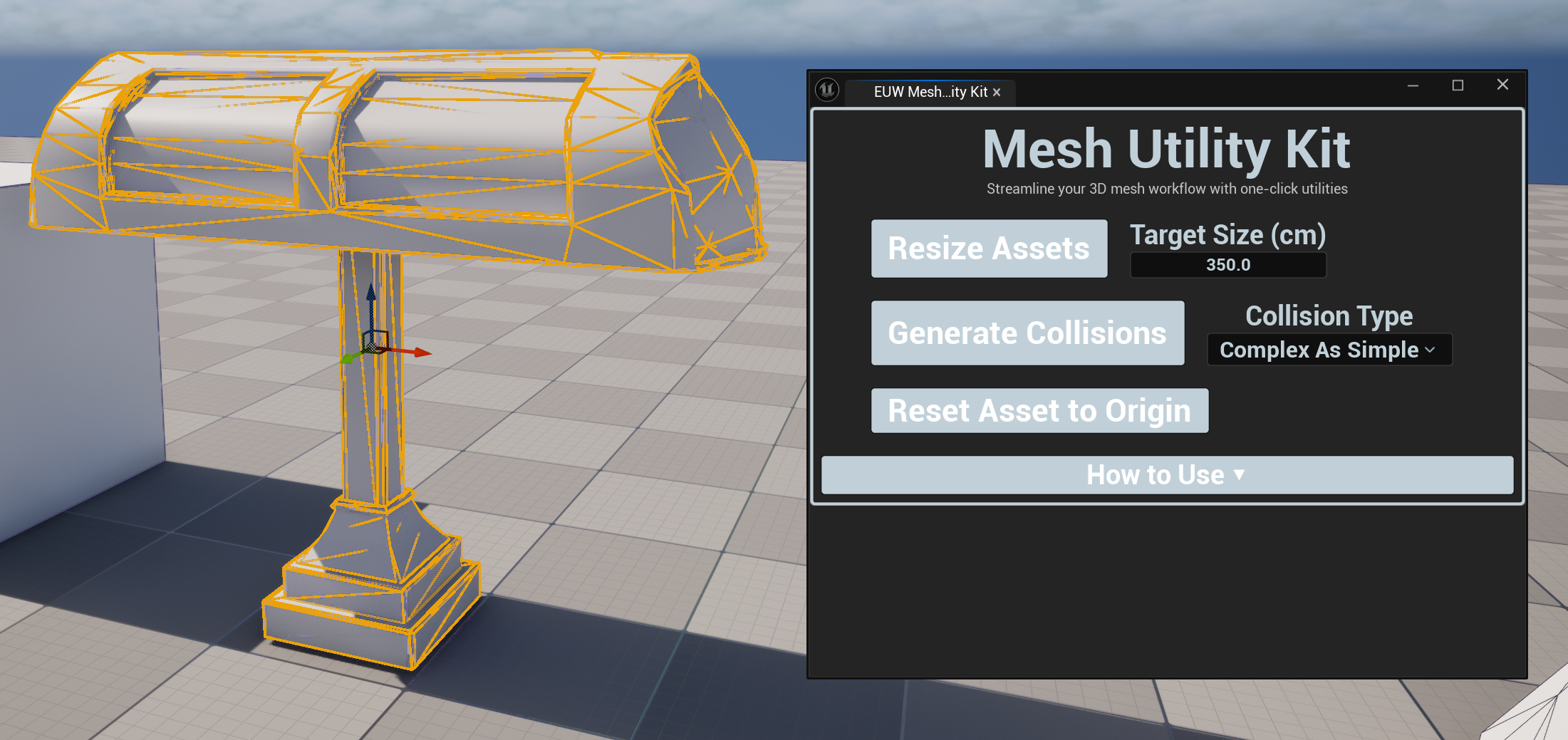
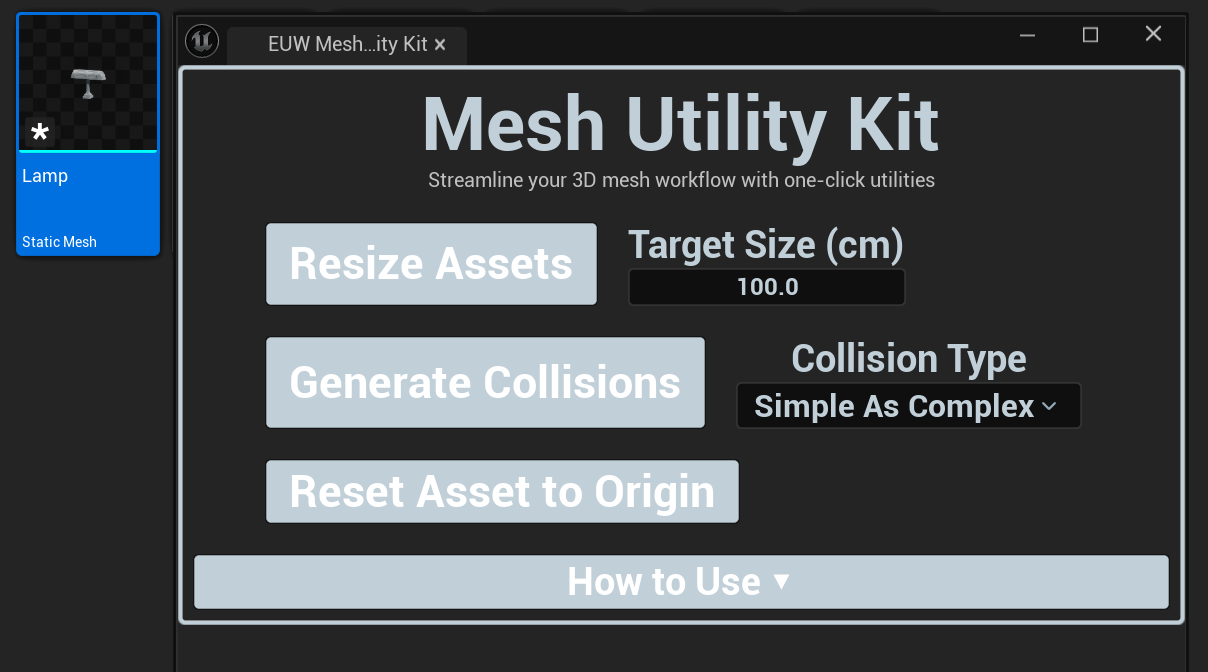
Mesh Utility Kit consolidates the most commonly needed Static Mesh operations into a single, accessible in-editor panel. Instead of hunting through menus or writing one-off scripts for routine tasks, you select your mesh, choose your operation, configure any settings, and apply; all from one place. Whether you're cleaning up imported assets, correcting origins that came in offset, resizing geometry that arrived at the wrong scale, or generating collision for a batch of props, Mesh Utility Kit keeps the process fast and consistent across your entire project.
KEY features
one-click resizing
Resize Static Mesh actors directly in the editor with configurable scale values, without modifying the source asset.
origin reset utilities
Correct offset or incorrectly placed origins on imported meshes, a common issue with assets from external DCC tools.
Collision generation
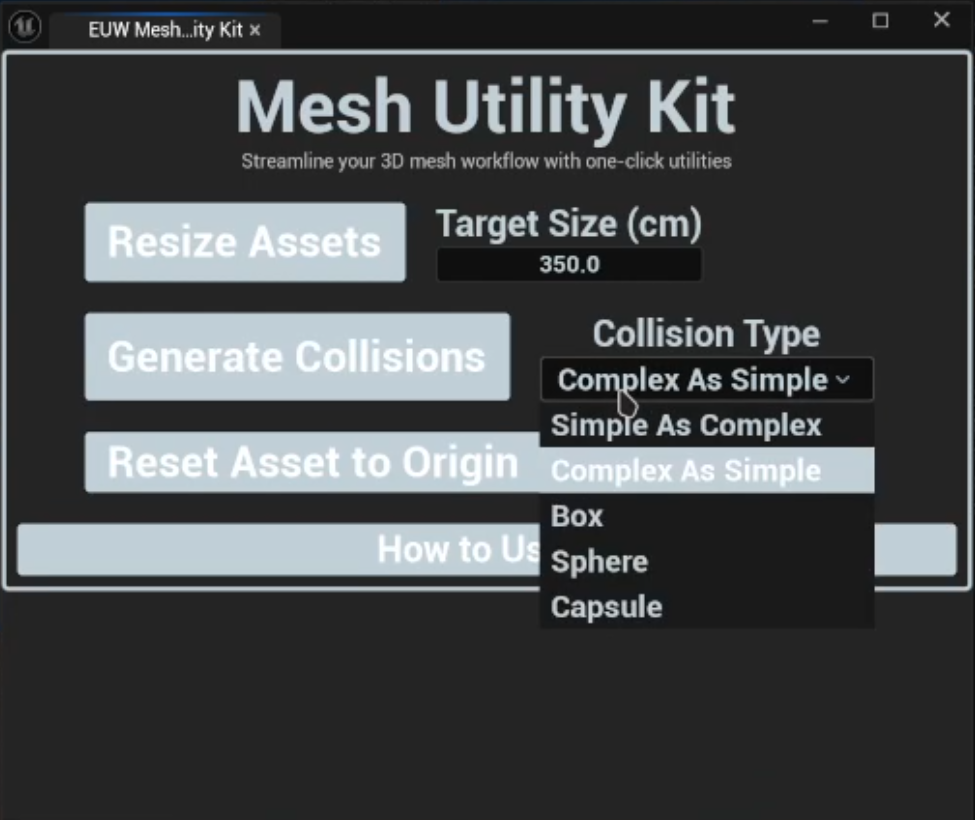
Generate collision for Static Meshes directly from the panel, with configurable collision type options.
content browser and viewport support
Works on selections made in either the Content Browser or the level viewport, fitting ito whichever workflow you prefer.
Configurable operation settings
Each utility exposes its relevant settings directly in the panel before applying, so you stay in control.
How it works
Mesh Utility Kit interfaces with Unreal's Static Mesh editor and asset tools through C++ to perform operations that are either not exposed to Blueprints or are too cumbersome to access manually. Each utility reads the current selection, validates it against the expected asset type, applies the configured operation and makrs the asset as modified; ensuring changes are properly saved and tracked by the editor without requiring manual intervention.
Showcase
Auto Material setup
3D Art
Complete
UE5.7+
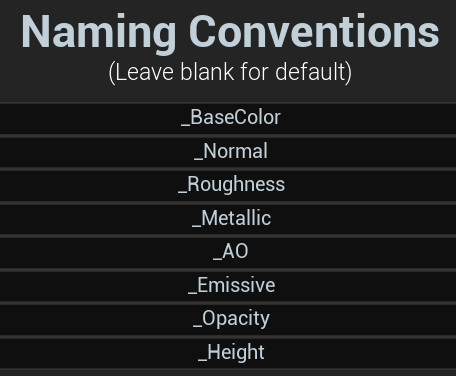
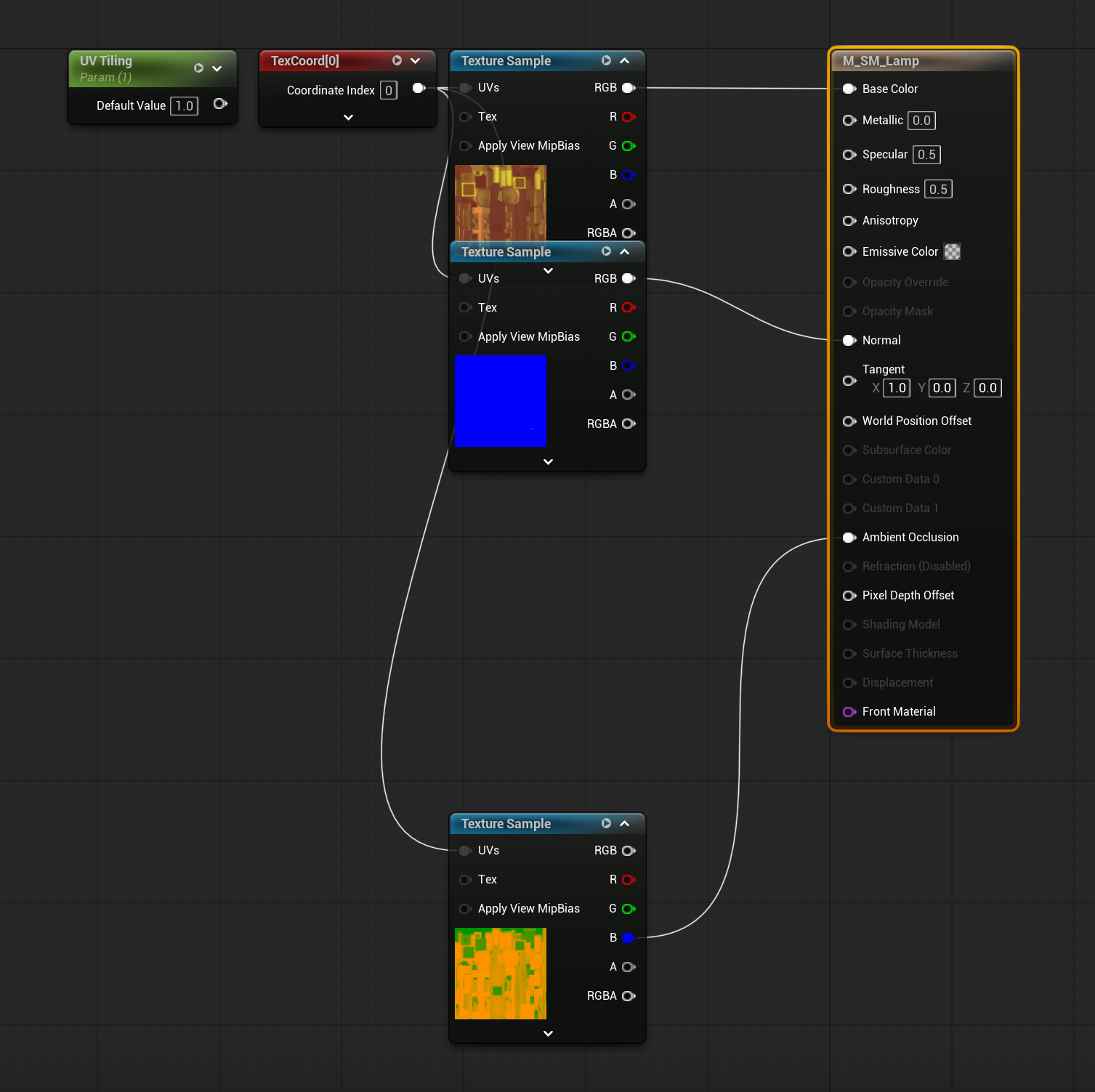
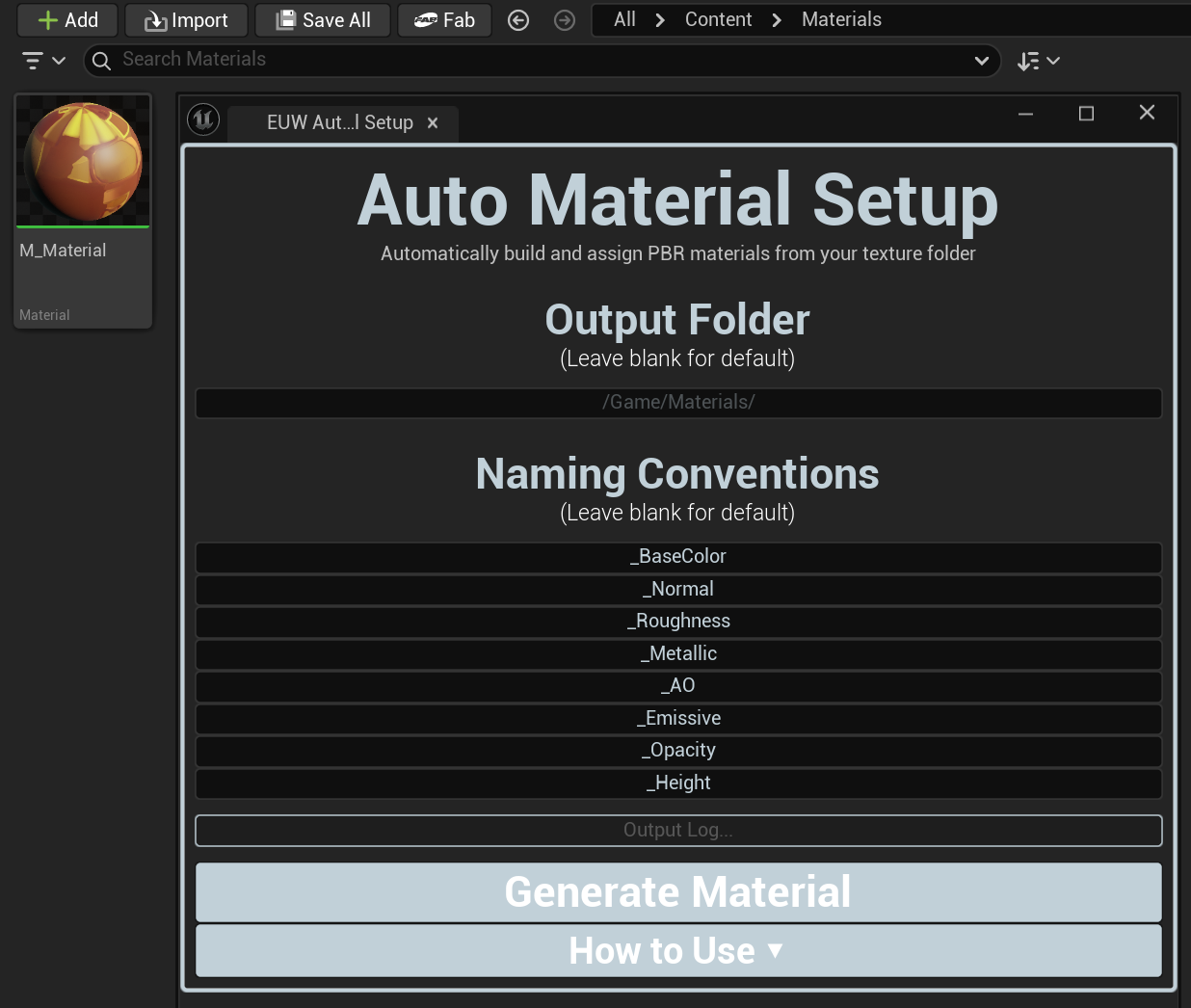
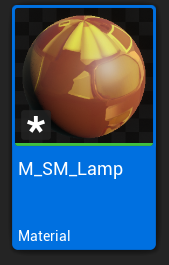
Auto Material Setup eliminates the repetitive work of manuall importing textures, creating materials, wiring every node and assignign the result (a process that can eat significant time on any project with a meaningful number of assets). Point the tool at a texture folder, adjust the naming convention suffix settings to match how your textures are named, optionally select a target mesh and hit Generate. The tool detects which texture maps are present, builds a fully wired PBR material with each map connected to the correct input and assigns it to your mesh, all in one single operation. It adapts to however your pipeline names its textures, making it compatible with assets from any source.
KEY features
Automatic pbr texture detection
Scans the selected folder and identifies texture maps (Base Color, Normal, Roughness, Metallic, AO, Emissive and more) based on configurable suffix rules.
Configurable naming convention suffixes
Adjust the suffix, each map type is detected by to match your pipeline, whether that's '_D', '_BaseColor', '_BC' or anything else.
fully wired material generation
Creates a complete Material asset with every detected map connected to the correct input node, ready to use immediately.
direct mesh assignment
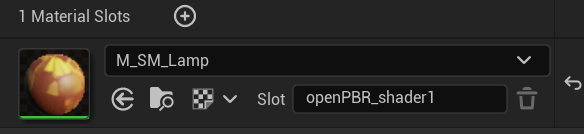
Optionally select a Static Mesh in the Content Browser to have the generated material assigned to it automatically.
configurable output folder
Specify where the generated material should be saved, or leave it blank to use a sensible default relative to the texture folder.
c++ material creation
Material generation is handled in C++ via UMaterialEditingLibrary, ensuring full reliability and access to the complete material editing API.
How it works
Auto Material Setup uses Unreal's Content Browser API to read the contents of the selected texture folder, filtering for texture assets and cross-referencing their names against the configured suffix rules to identify each map's role. Material creation is handled entirely in C++ using UMaterialEditingLibrary allowing the tool to programmatically create material exporessions, set texture references, connect nodes to the correct material inputs, and compile the result. The completed material is then saved to the specific output path and optionally applied to the selected mesh.
Showcase
Quick lighting kit
Environment
Complete
UE5.7+
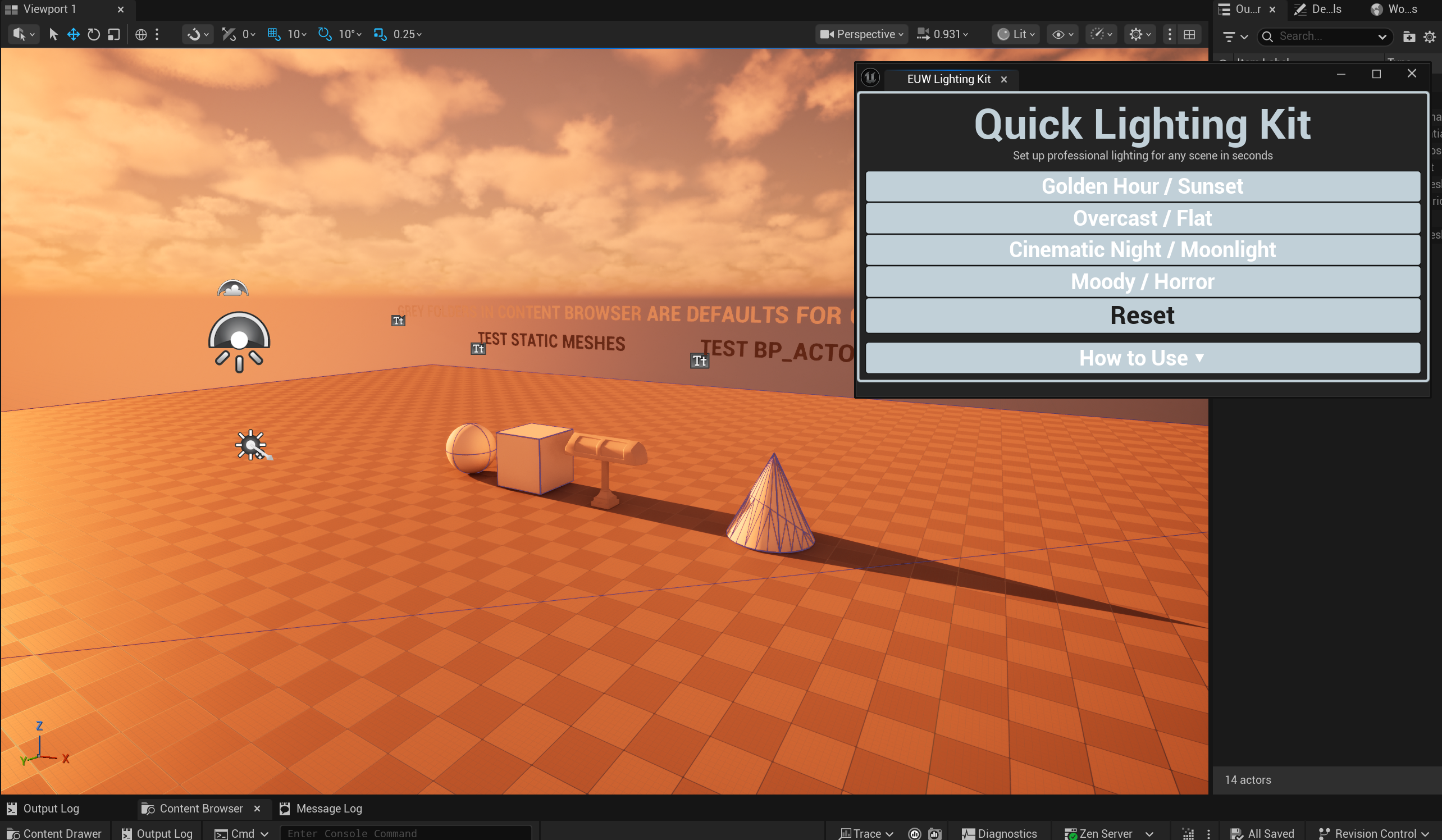
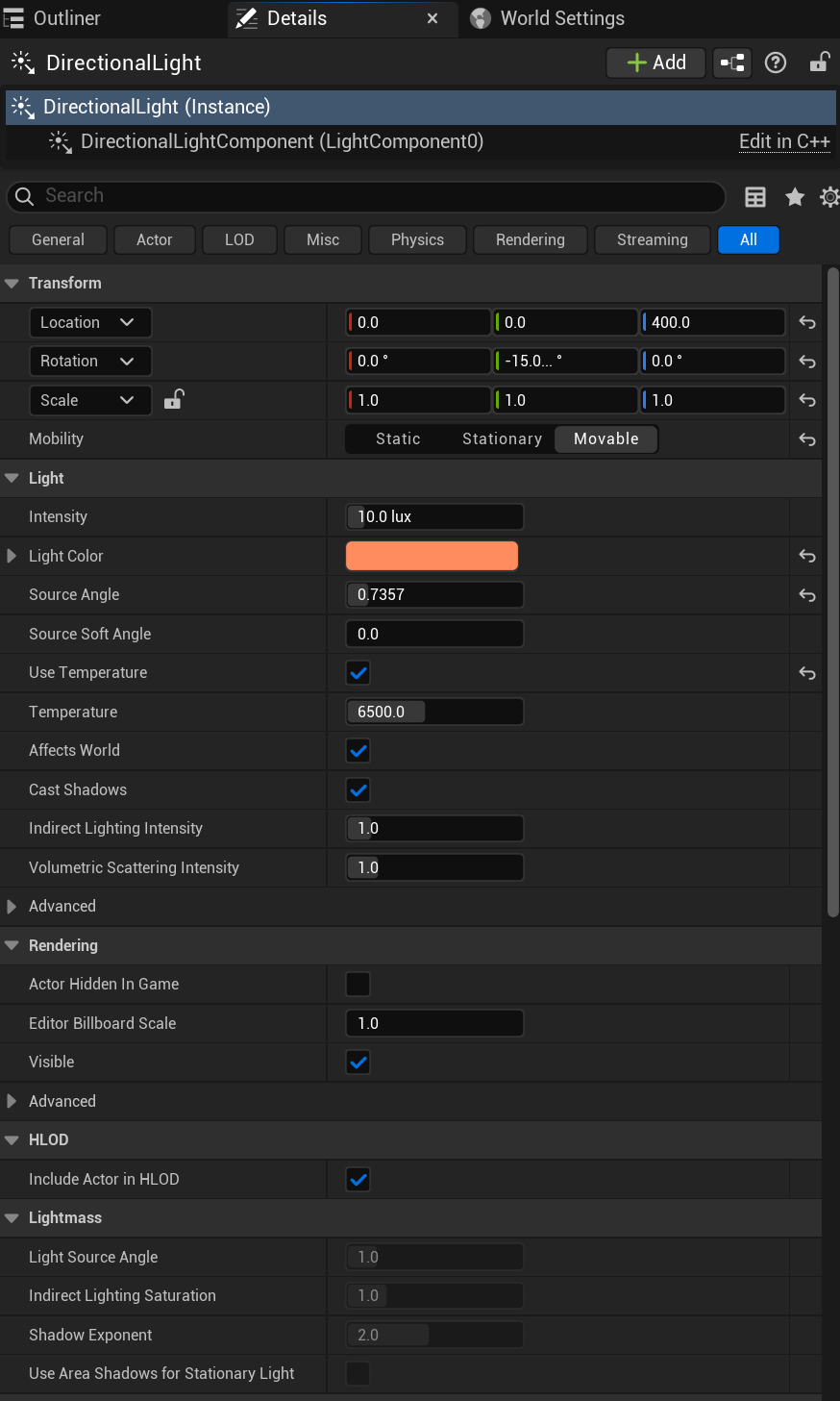
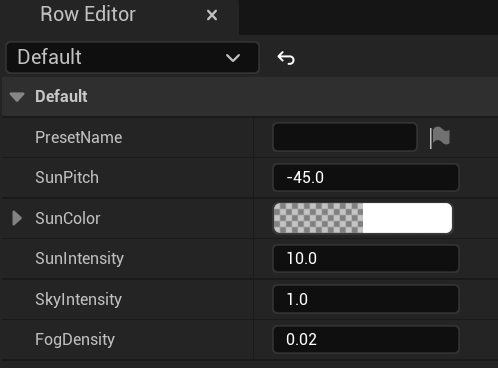
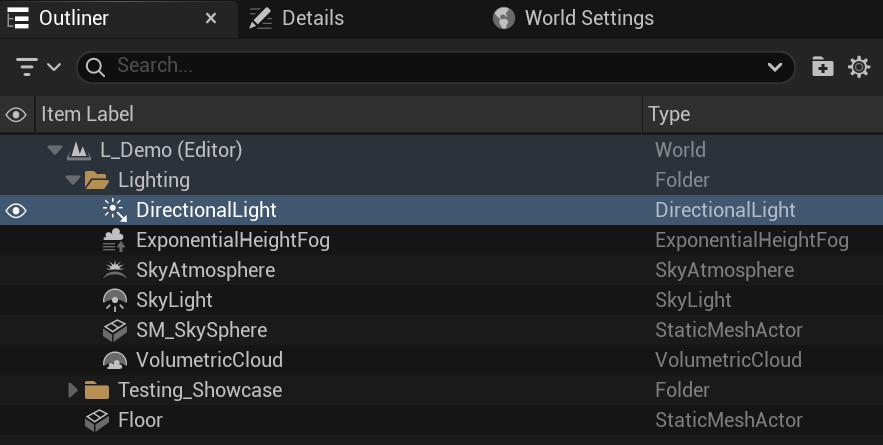
Quick Lighting Kit solves the time-consuming process of setting up scene lighting from scratch every time you start a new level or prototype. Rather than manually placing and configuring directional lights, sky lights, sky atmospheres and exponential heigh fog one by one, Quick Lighting Kit gives you a set of professional presets you can apply in a single click; Covering a range of common lighting scenarios from bright midday exteriors to moody overcast environments and dramatic interior setups. Every value remains fully adjustable before and after application, so presets serves as a strong starting point rather than a locked-in result.
KEY features
built-in professional lighting presets
A curated set of presets covering common lighting scenarios, each tuned to give a strong, usable result immediately.
full sun, sky and fog control
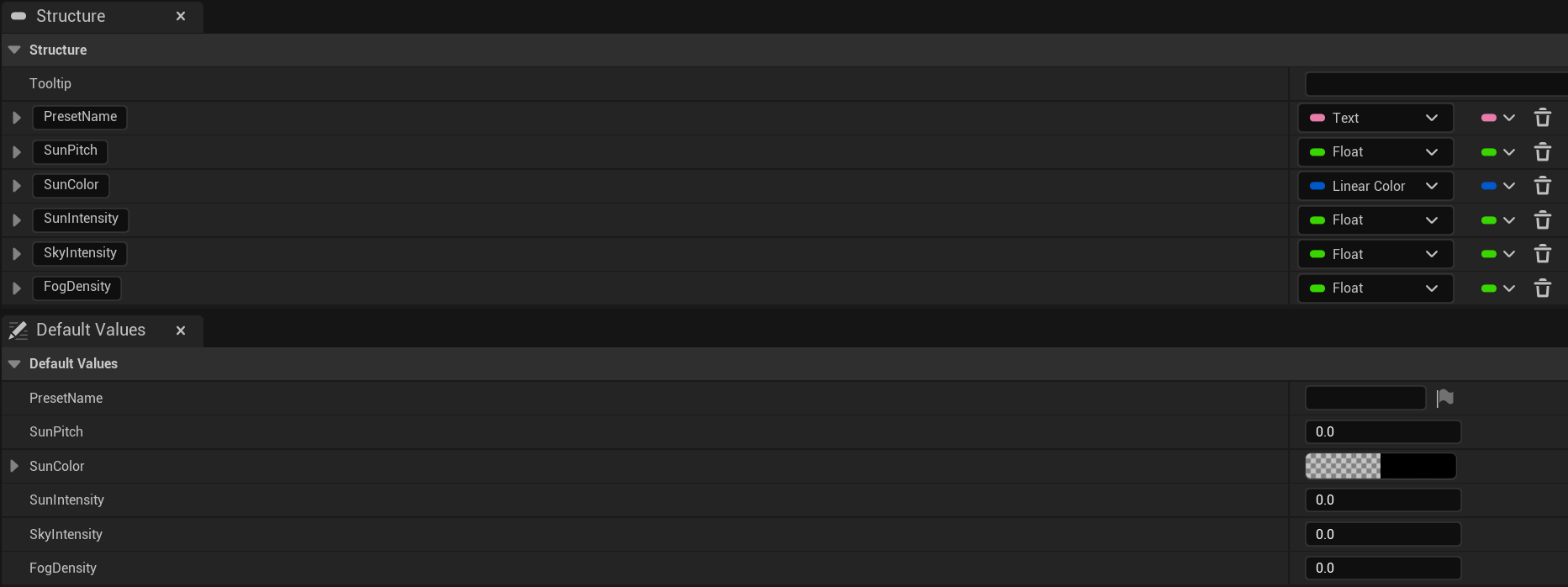
Each preset configures the Directional Light, Sky Light, Sky Atmosphere and Exponential Height Fog together as a cohesive setup.
one-click application
Apply any preset to the current level in a single click from the editor panel, no manual actor placement or configuration required.
post-generation adjustability
Every light property is fully exposed and editable after the preset is applied, so you can fine-tune to your scene's specific needs.
custom configuration support
Dial in your own values directly in the panel and apply them as a custom setup without being locked to a preset.
works across any ue5 level
Applies to the current open level regardless of what's already in it, intelligently handling existing light actors.
How it works
Quick Lighting Kit manages the key atmospheric lighting actors in the current level: Directional Light, Sky Light, Sky Atmosphere and Exponential Height Fog. When a preset is applied, the tool checks for the presence of each actor type in the level, creates any that are missing and sets all relevant properties to the preset's configured values. This approach means the tool works reliably on both empty levels and existing scenes. All operations are performed through Unreal's editor scripting API, keeping changes properly tracked and reversible.
Showcase
Blockout to beauty swapper
Environment
Complete
UE5.7+
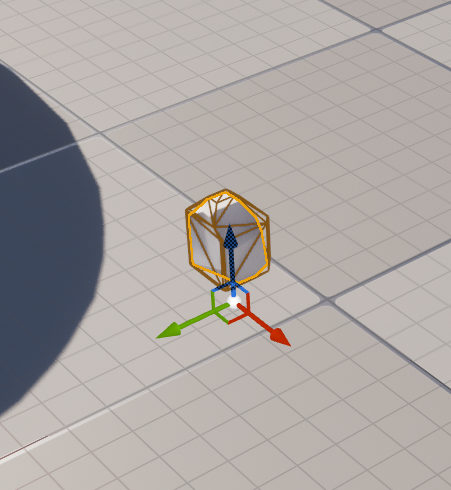
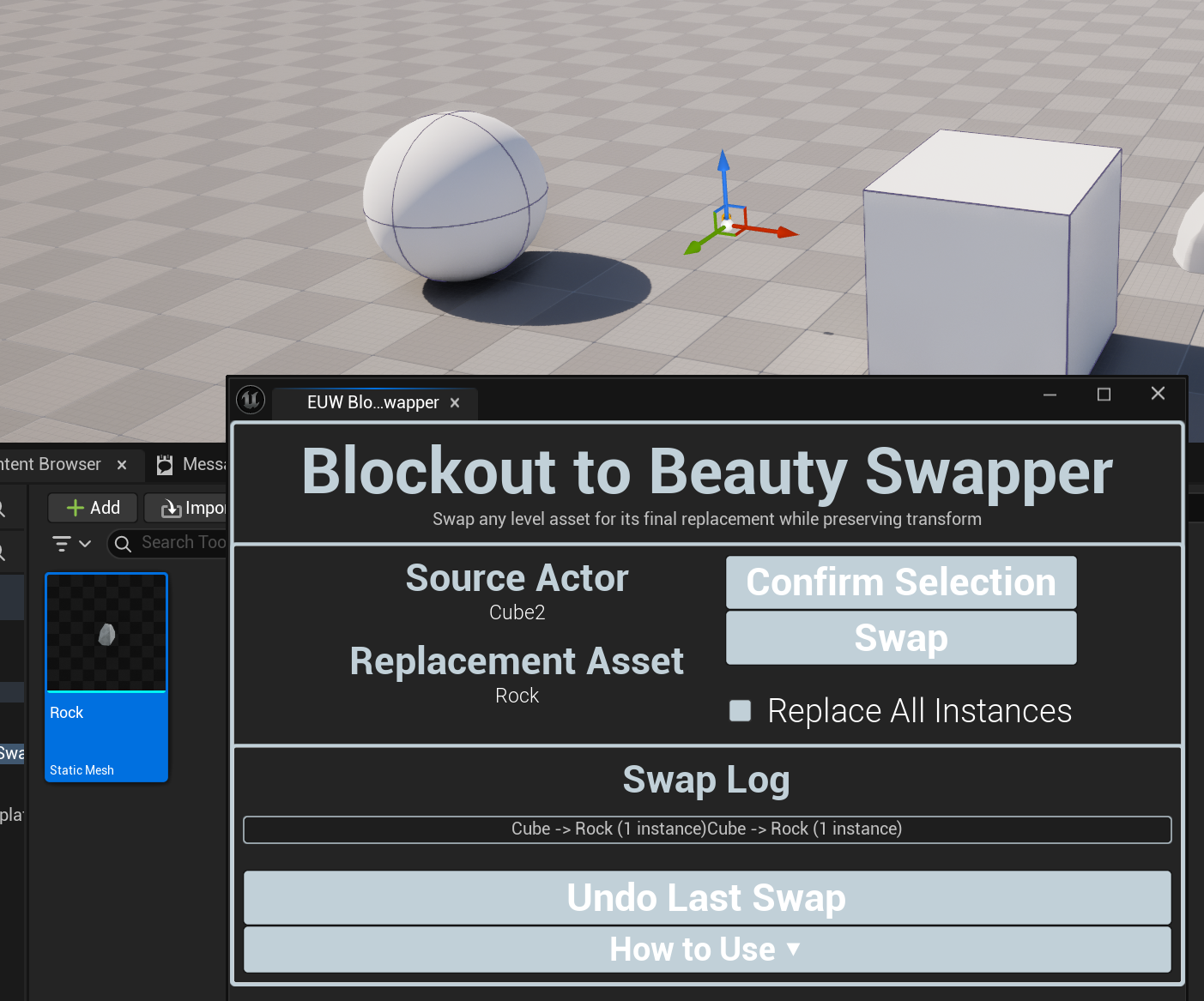
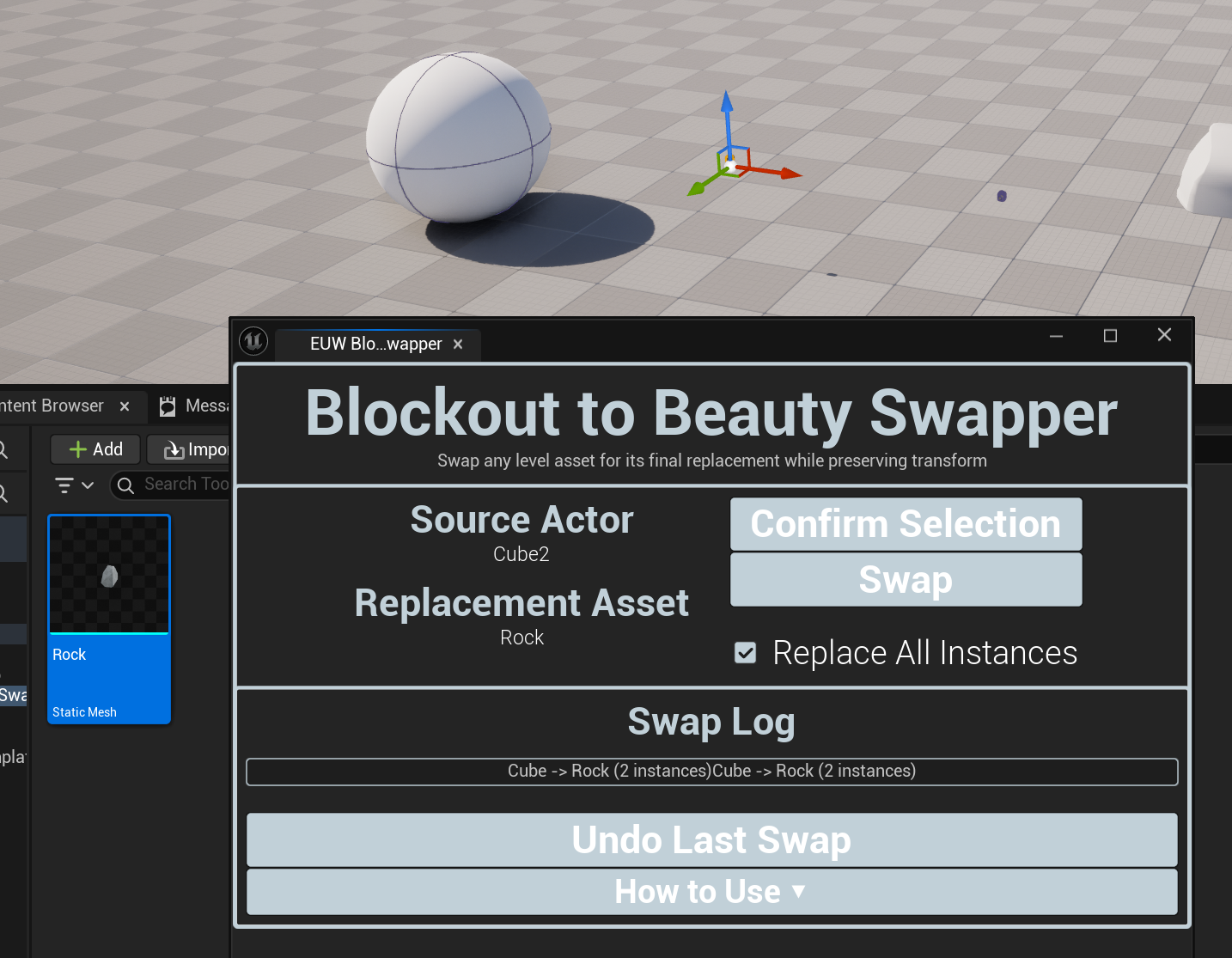
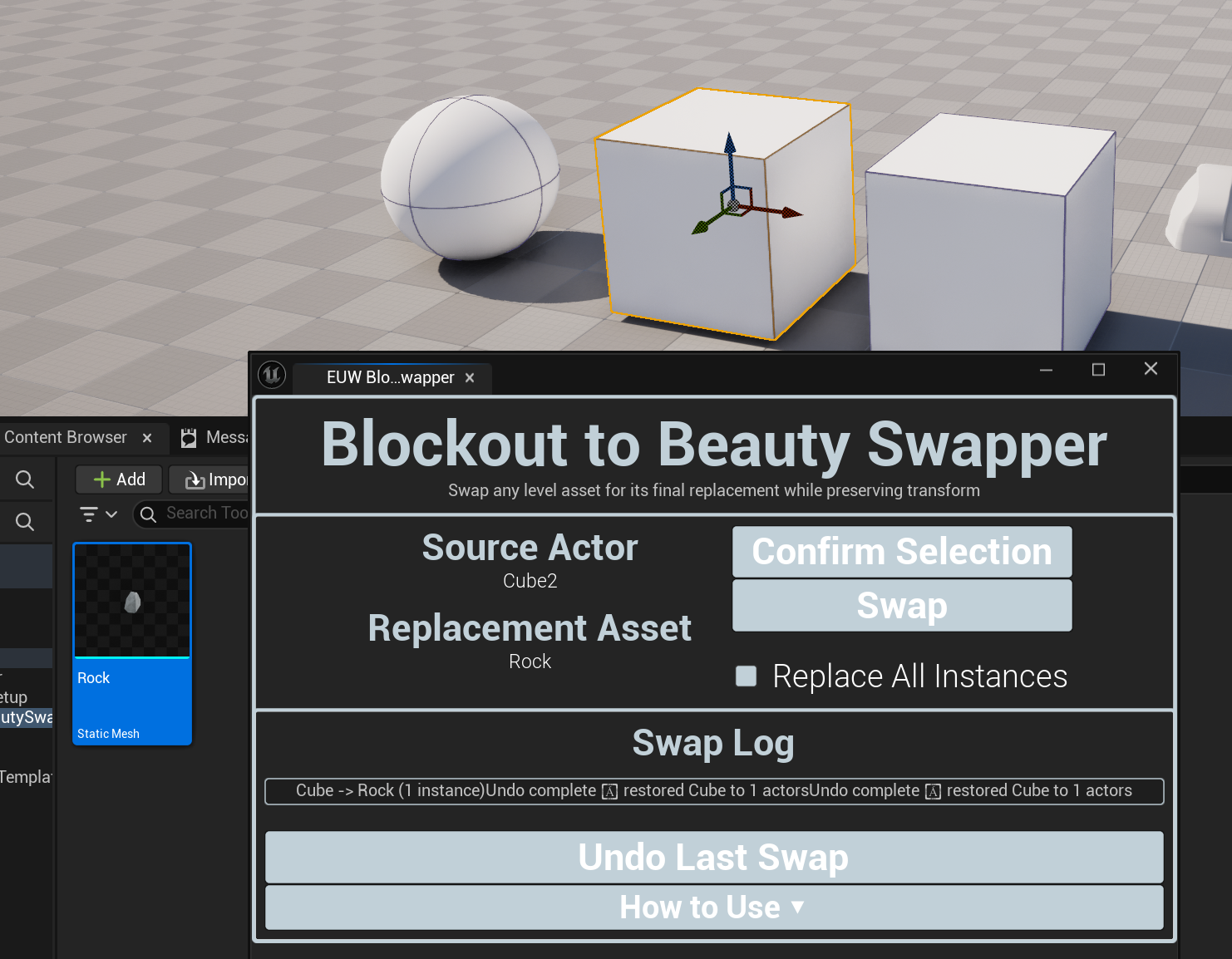
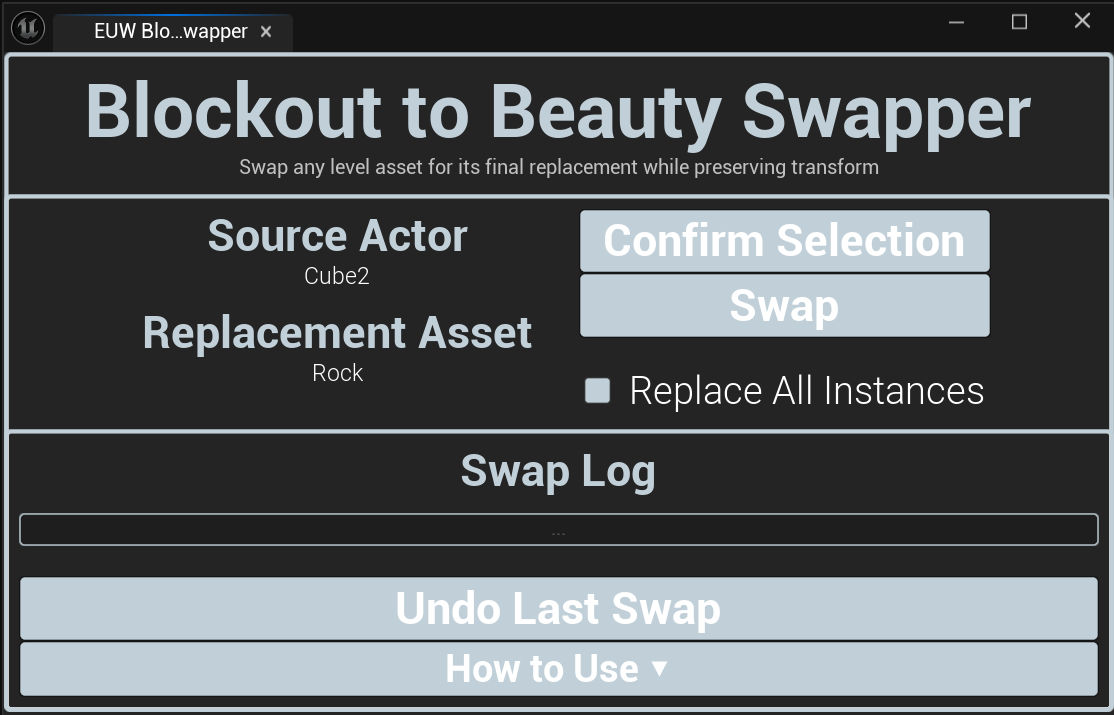
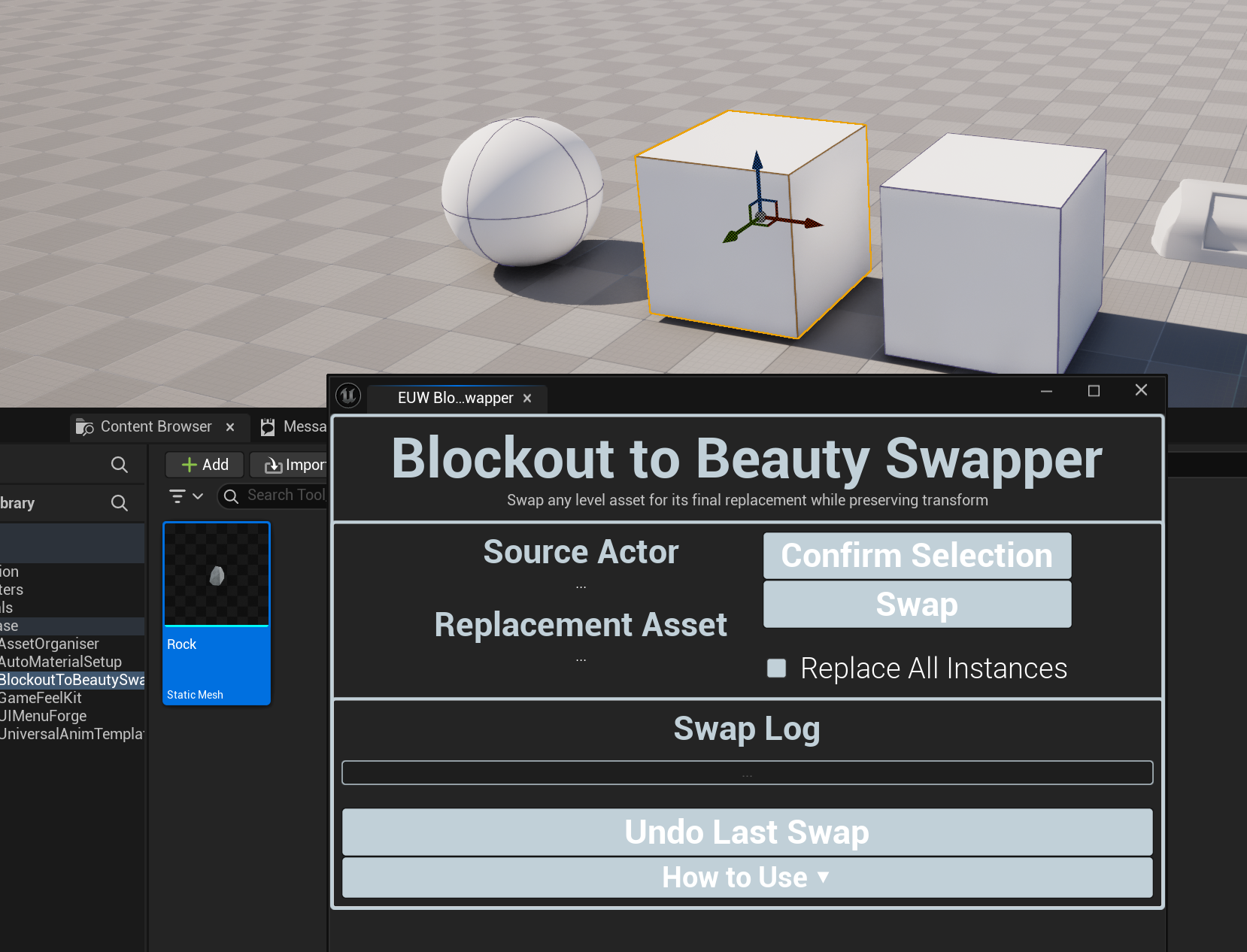
Blockout to Beauty Swapper bridges the gap between the blockout phase and final art pass without disrupting your level's layout. Once you've validated the feel and flow of your level with placeholder geometry, select the blockout actor, pick the replacement mesh in the Content Browser, and swap; the replacement drops in at exactly the same position, rotation, and scale. You canswap a single selected instance or replace every instance of that mesh in the level at once, amking large-scale art passes fast and consistent. An Undo Last Swap option keeps the workflow non-destructive at every step.
KEY features
transform-preserving swaps
Replacement meshes are placed at the exact position, rotation and scale of the original, maintaining your carefully considered level layout.
replace selected only
Swap just the specific actor you have selected, useful for targeted replacements or testing a new asset in one spot first.
replace all instances
Find and replace every instance of the selected mesh in the level in one operation, ideal for large-scale art passes.
undo last swap
Revert the most recent swap operation instantly, keeping the workflow non-destructive and safe to experiment with.
refresh and confirm selection
Confirm that both the actor and replacement mesh are correctly detected before comitting to a swap.
viewport and content browser integrated
Works with selections made directly in the level viewport alongside the Content Brwoser, matching your natural editor workflow.
How it works
Blockout to Beauty Swapper reads the current actor selection from the level viewport and the current asset selection from the Content Brwoser. On swap, it captures the full transform of each target actor, spawns the replacement Static Mesh actor at the transform and removes the original. For Replace All Instances, the tool iterates over all actors in the current level, identifies those using the same Static Mesh as the selected actor and performs the same swap operation on each. All operations are tracked to support the Undo Last Swap functionality.
Showcase
Character kickstarter
Character & Animation
Complete
UE5.7+
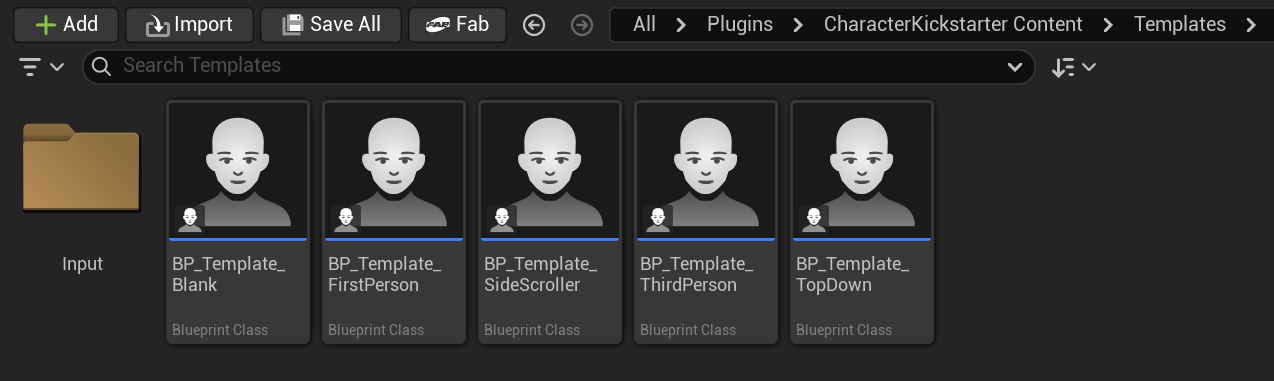
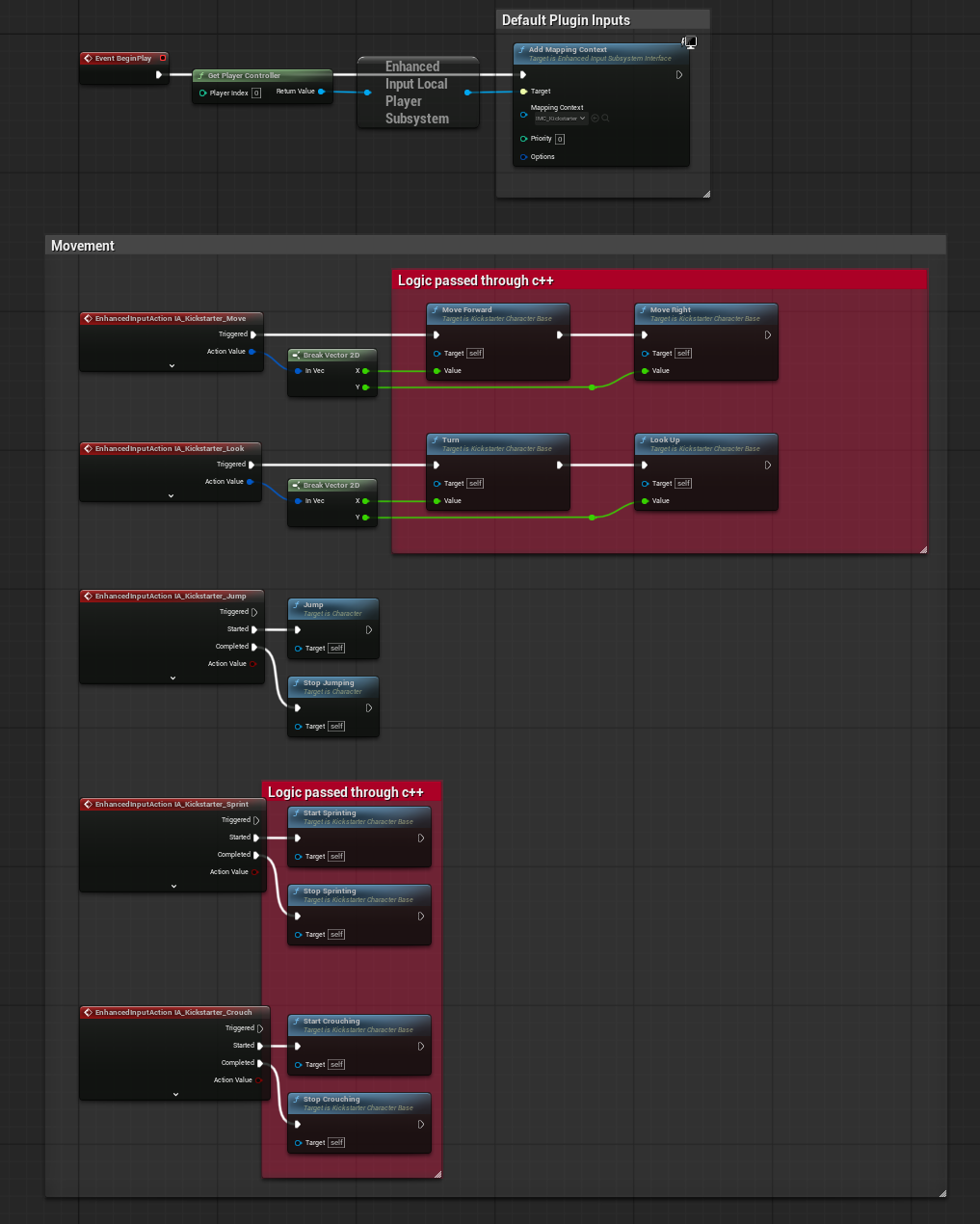
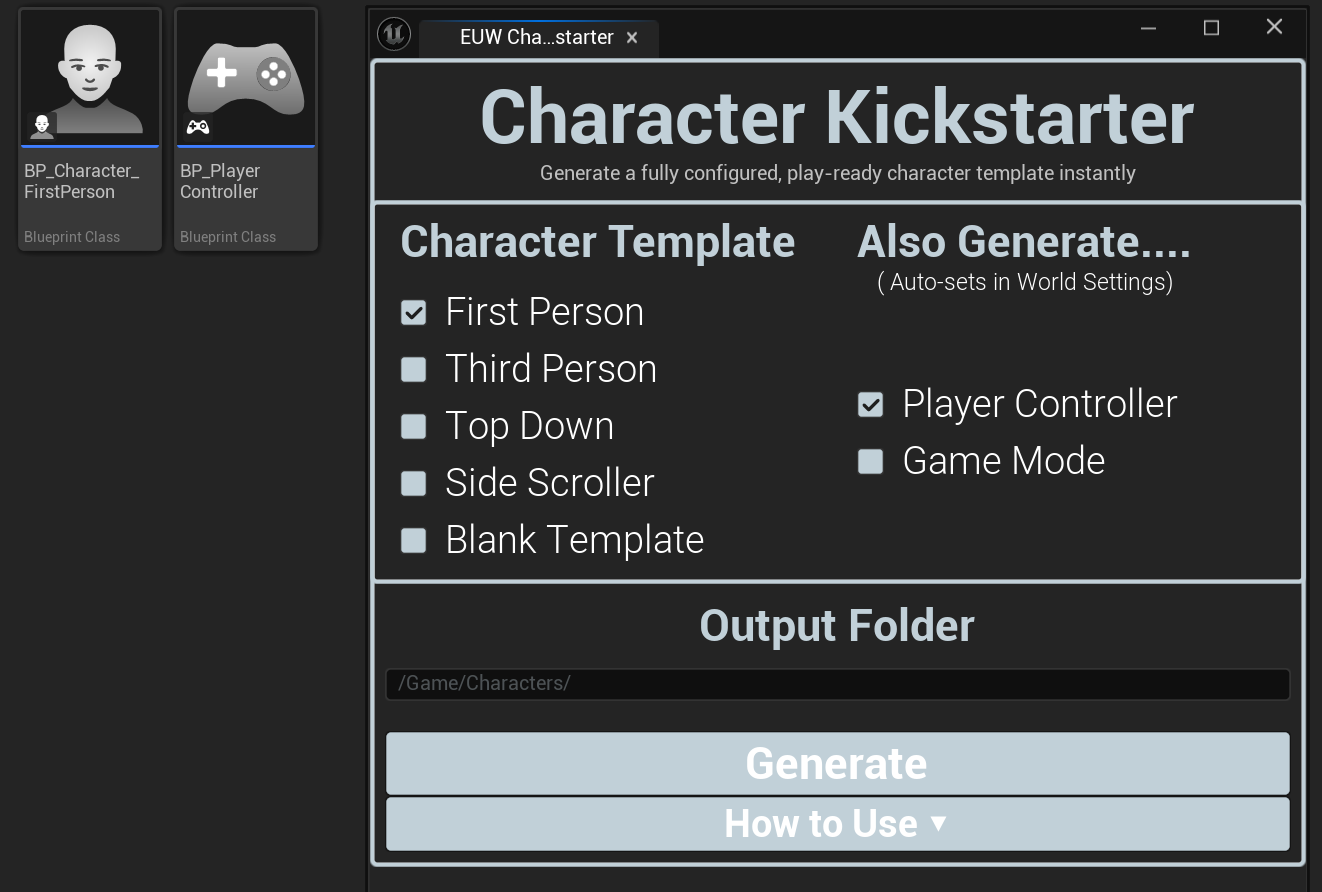
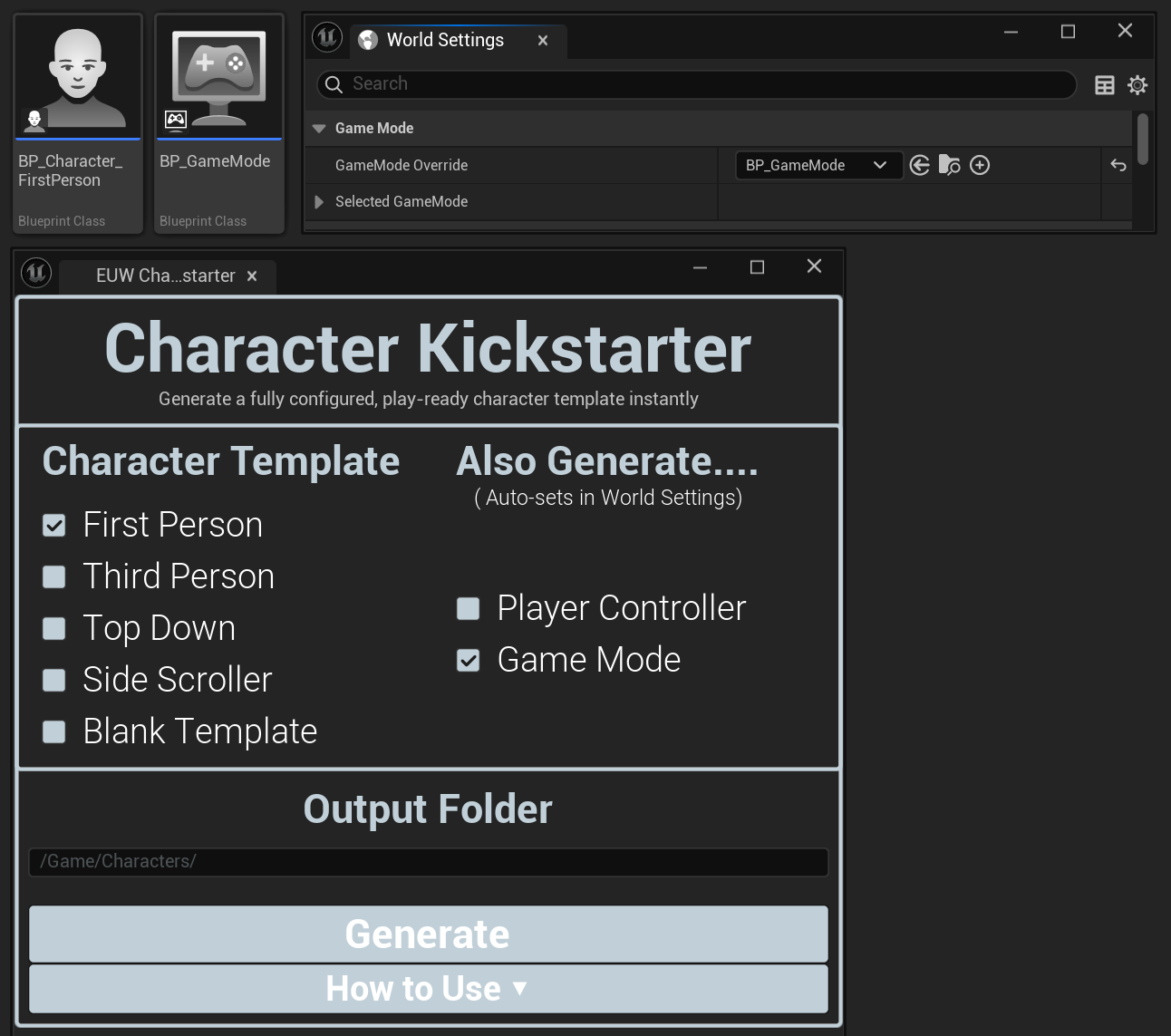
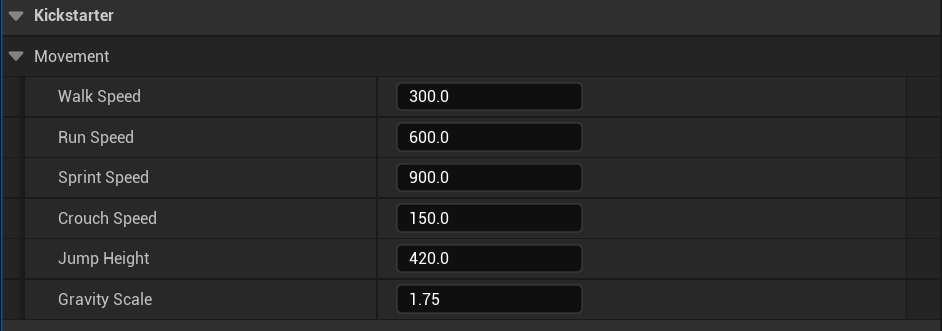
Character Kickstarter gets you from an empty project to a playable character in seconds. Choose your camera and movement templates; First Person, Third Person, Top Down, Side Scroller, or a clean Blank, and the tool generates a fully configured Character Blueprint with the correct movement component settings, camera setup, and input bindings already in place. Optionally generate a matching Player Controller and Game Mode at the same time, giving you a complete, playable setup from a single operation. Everything is generated into your project as editable Blueprints, so you own the output and can adjust every value to suit your game's specfici feel from the movement it's created.
KEY features
five character templates
First Person, Third Person, Top Down, Side Scroller and Blank, each pre-configured with the correct movement, camera and input setup for that perspective.
movement and camera pre-wired
Movement component settings, spring arm, camera actor and input axis bindings are all configured correctly for the chosen template.
optional player controller generation
Generate a matching Player Controller Blueprint alongside the character, pre-configured for the chosen template.
optional game mode generation
Generate a Game Mode Blueprint that references the generated character and controller, giving you a fully playable setup instantly.
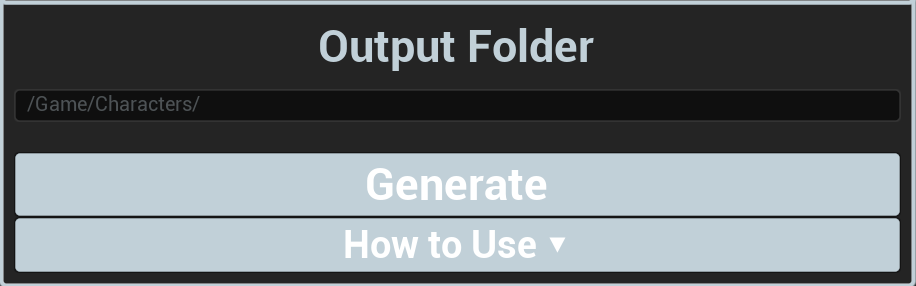
configurable output folder
Specify where generated assets are saved, keeping your project organised from the start.
fully editable output
All generated Blueprints are standard UE5 assets you own completely, with every property accessible and adjustable in the Details panel.
How it works
Character Kickstarter uses Unreal's asset duplication and Blueprint editing APIs to generate configured Character Blueprints from internal tempalte assets. Each template has pre-defined component hierarchies, movement settings and input bindings that reflect best practices for that perspective type. On generation, the tool duplicates the relevant template, renames it to your specified output, saves it to the chosen folder, and optionally generates and cross-references the Player Controller and Game Mode. The result is a set of assets that are immediately usable without any additional configuration.
Showcase
Universal animation template
Character & Animation
Complete
UE5.7+
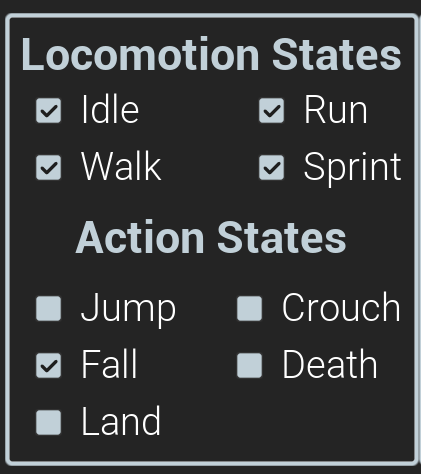
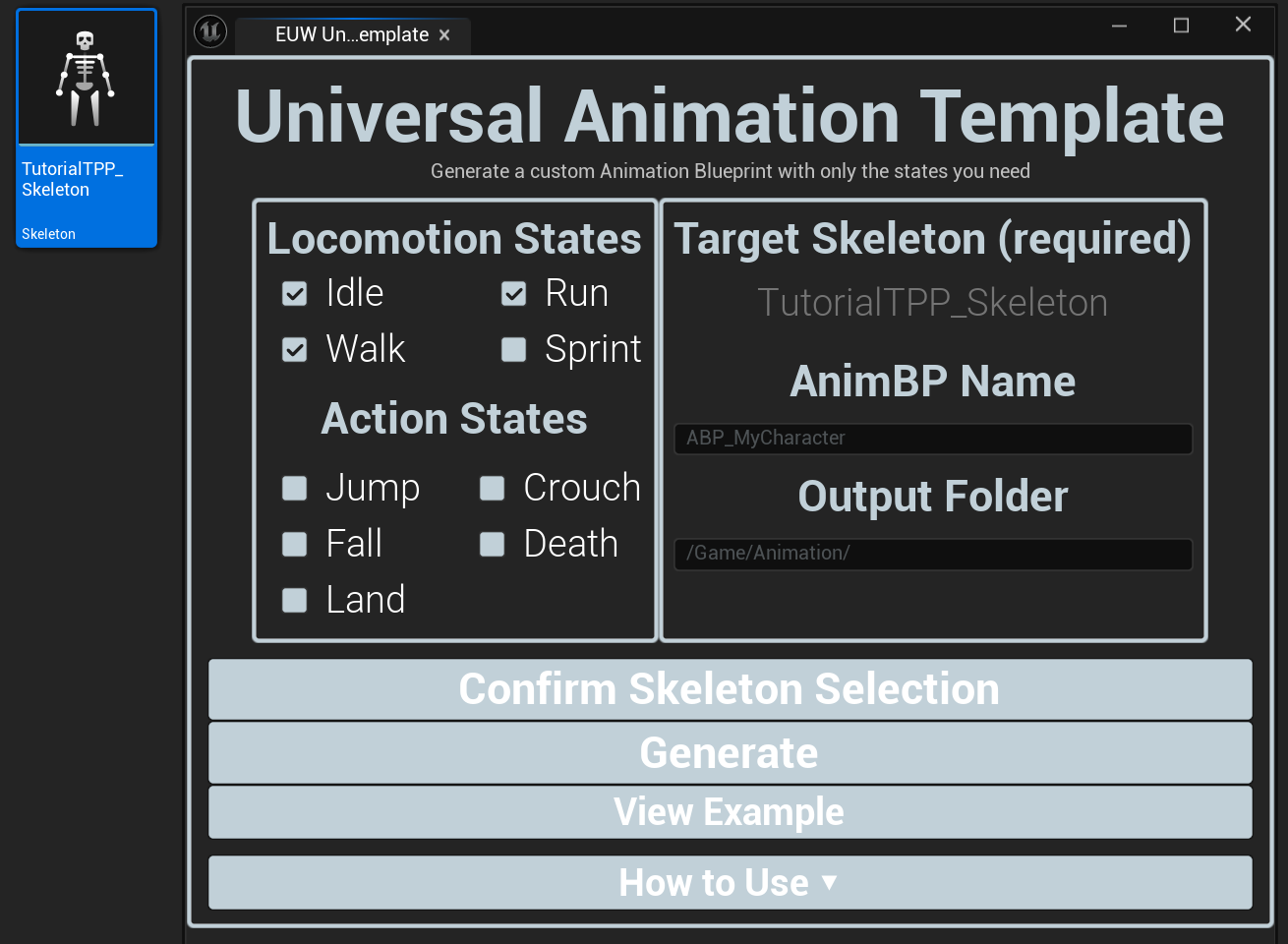
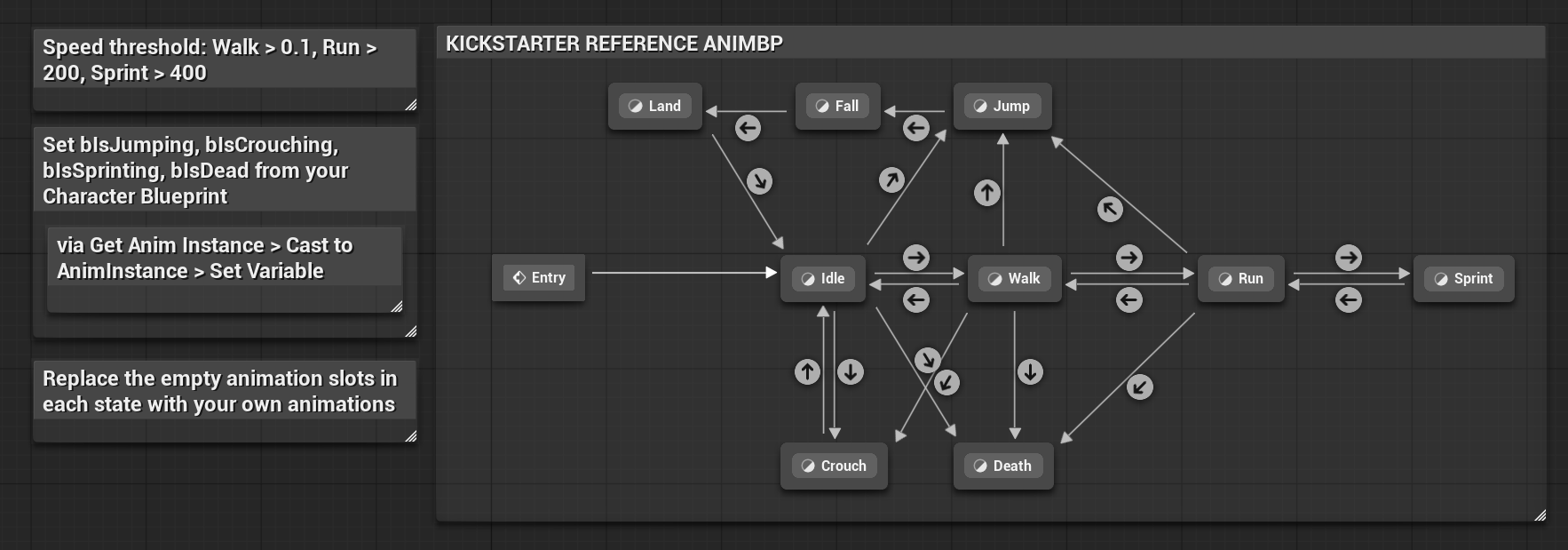
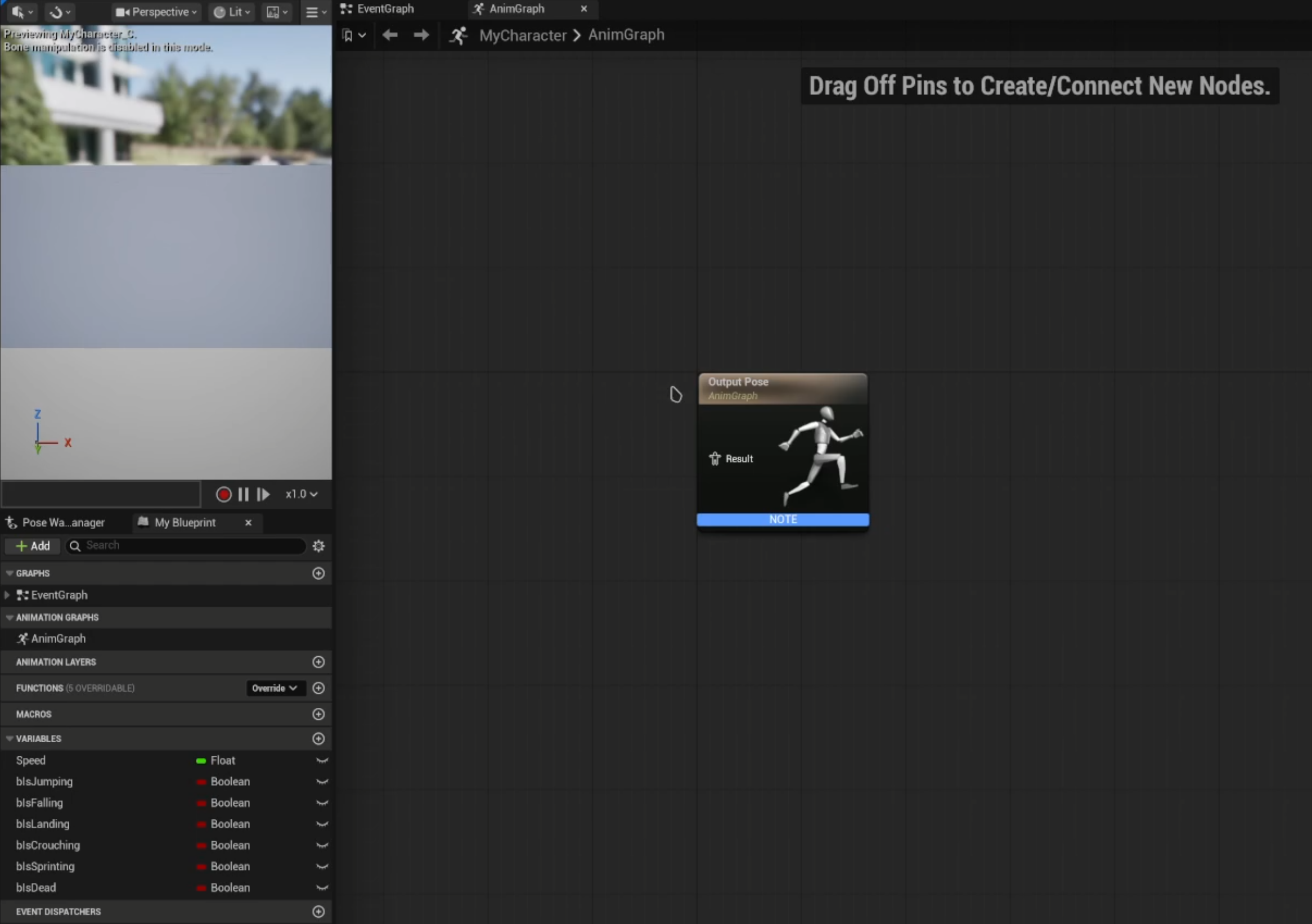
Universal Animation Template gives you a clean, correctly structured Animation Blueprint tailored to your project's specific requirements without the overhead of building one from scratch. Select your skeleton, tick the animation states your character needs; Idle, Walk, Run, Jump, Fall, Crouch and more, name it and generate. The resulting AnimBP has the chosen states added to the state machine, the correct skeleton assigned and the variables needed to drive transitions already created and ready to connect. A fully wired example AnimBP is avilable at any time as a reference, showing how a complete setup looks with animations and transitions properly configured.
KEY features
state-specific generation
Tick only the animation states your project requires, keeping the generated AnimBP clean and relevant rather than cluttered with unused states.
automatic skeleton assignment
The skeleton you select in the Content Browser is assigned to the generated AnimBP automatically, no manual reassignment needed.
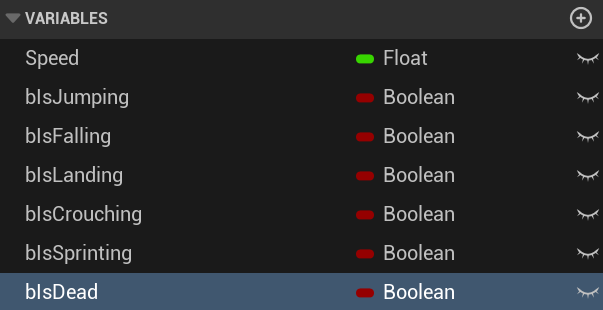
pre-created transition variables
The variables needed to drive state machine transitions are created in the AnimBP at generation time, ready to bet set from your Character Blueprint.
configurable naming and output folder
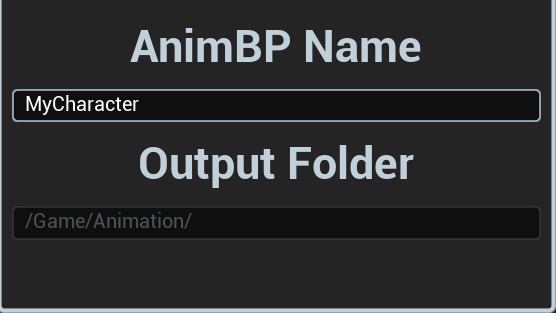
Name the generated AnimBP and choose where it's saved to keep your project structured from the start
example animbp reference
A fully wired. annotated example AnimBP is included and accessible at any time from the tool, showing a complete working setup with animations assigned and transitions configured.
designed for extensibility
The generated structure follows clean UE5 conventions, making it easy to add additional states or logic on top of what's generated.
How it works
Universal Animation Template generates Animation Blueprints using Unreal's Blueprint editing and asset APIs in C++. The tool constructs the state machine programmatically based on the ticked state selections, adding the correct state nodes and connecting them with transition rules. The selected skeleton is assigned at generation time, and the required transition variables are created in the AnimBP's variable list. The example AnimBP is a handcrafted reference asset included with the plugin that demonstrates a fully functional setup, accessible directly from the tool panel without needing to search for it.
Showcase
In-engine doc generator
Documentation
Complete
UE5.7+
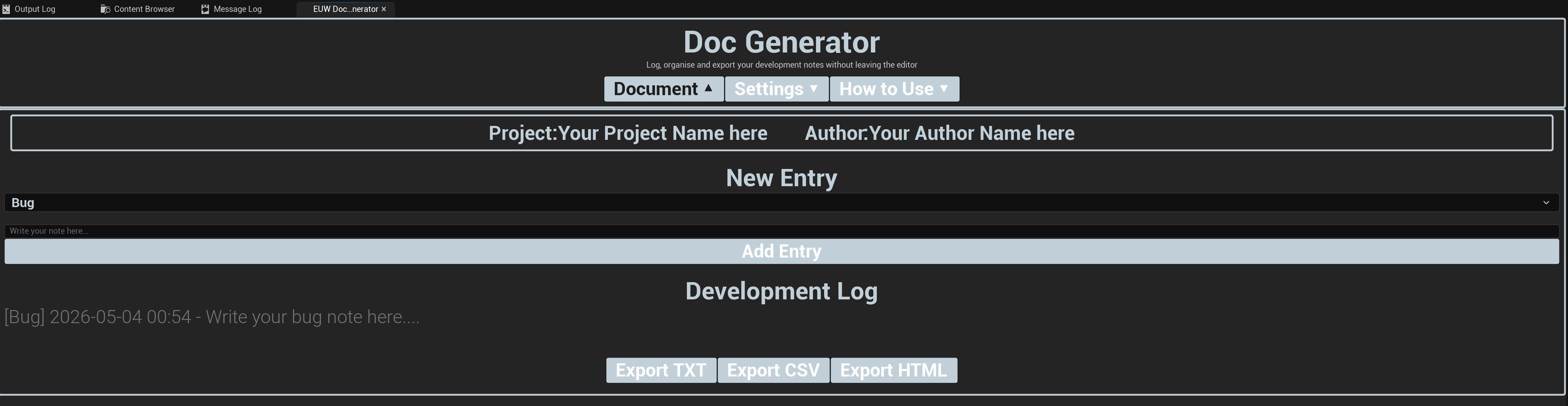
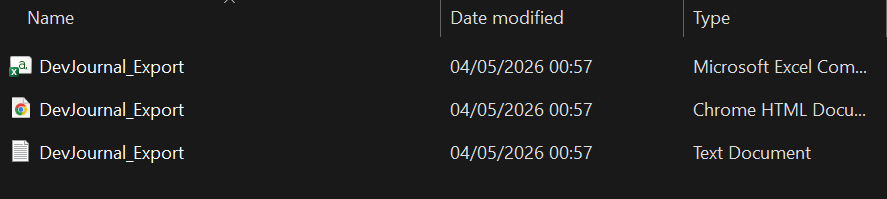
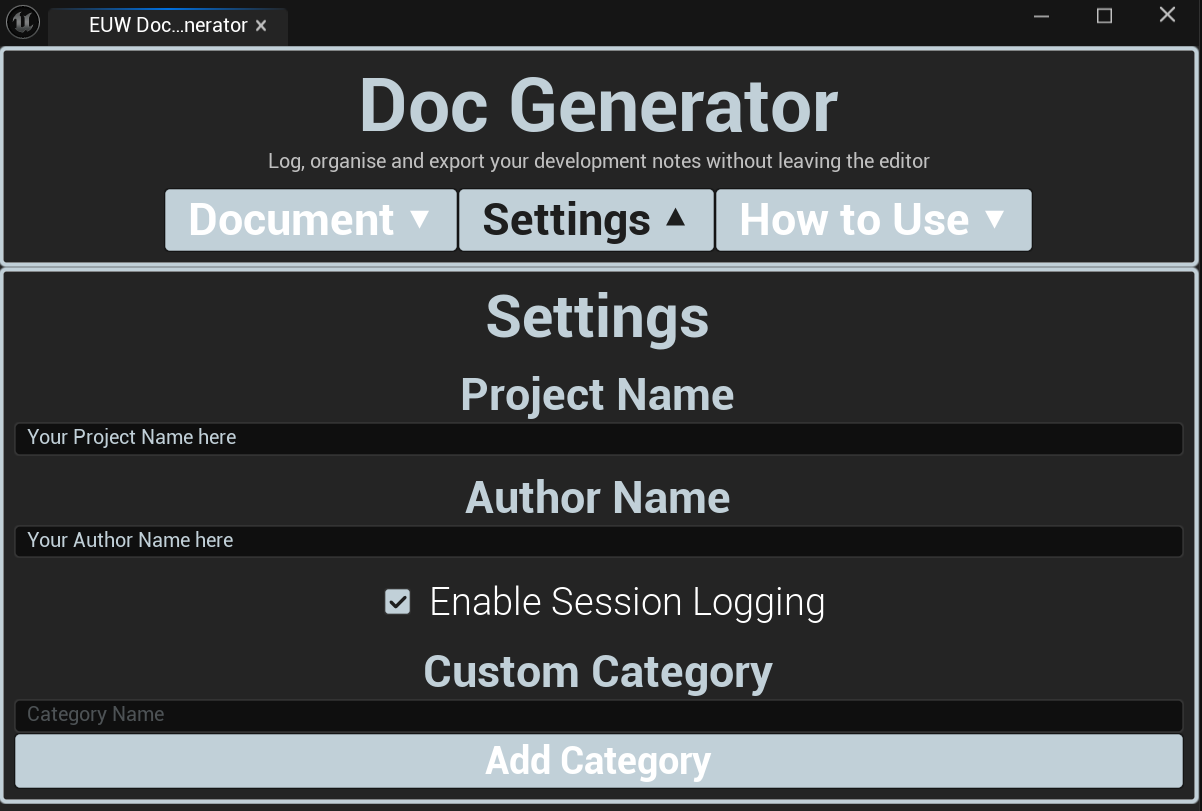
In-Engine Doc Generator keeps your development documentation where your development actually happens; inside Unreal Engine. Rather than switching between your editor and an external notes app, you log structured entires directly from a dockable editor panel that sits alongside your other tools. Each entry is categories, automatically timestamped and stored persistently across editor sessions. When you need your documentation outside the editor (for a handoff, a review or your own records) export the full journal as a TXT, CSV or HTML file with a single click. Optional session logging tracks editor sessions in the background automatically, giving you a passive record of your work without any manual input.
KEY features
dockable in-editor panel
Sits permanently in your editor layout as a standard dockable tab, always accessible without interrupting your workflow.
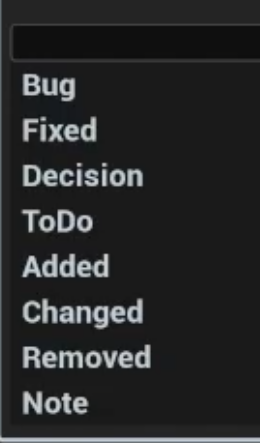
categorised note logging
Assign each entry to a category (Bug, Feature, Note, Task and more) for structured, filterable documentation.
automatic timestamps
Every entry is stamped with the exact date and time it was logged, giving you a reliable chronological record without any manual effort.
multi-format export
Export your full journal as TXT or plain text, CSV for spreadsheet compatibility or HTML for a cleanly formatted readable document.
project and author configuration
Set your project name and author in Settings so every export is properly attributed and identified.
session logging
Enable automatic session tracking in Settings to have the tool passively log editor sessions in the background, building a record of your development time without any manual input.
How it works
In-Engine Doc Generator is built as a dockable Slate-based editor panel registered through a C++ editor module, allowing it to persist in the editor layout like any native Unreal panel. Notes are stored in a structured format in the project's Saved directory, ensuring they persist across editor sessions without polluting the project's source or content folders. The export system reads the stored entries and formats them accoridng to the selected output type (plain text, comma-seperated values, or a styled HTML document). Session logging hooks into the editor startup and shutdown delegates to automatically record session start and end time.
Showcase